




.png)
.png)
In the guest posting industry, orders do not always progress smoothly from creation to publishing. At times, an order may require additional clarification before it can be processed—whether due to content issues, mismatched URLs, missing payments, or technical discrepancies. To prevent delays and ensure no order is forgotten, GuestPostCRM includes a dedicated system known as the Pending Order Reminders.
This system spots stalled orders on its own, keeps tabs on their progress, and sends out follow-up reminders. That way, agencies don’t miss out on revenue or risk frustrating customers because of unfinished tasks.
Let’s break down how Pending Orders work, why these reminders matter, and how they help you keep things running smoothly.
1. How Orders Become “Pending”
Before talking about reminders, you need to understand how an order ends up marked as “Pending.” Here’s what happens: when someone places an order—whether they do it themselves or through automated order creation—the platform checks everything to make sure it’s ready to go live. If it detects a problem, maybe some information is missing or there’s an error, GuestPostCRM steps in and puts the order on hold. That’s when you see it labeled as Pending.
Most of the time, orders get stuck in this Pending status for a few reasons:
- Spam Score Concerns: The content includes domains with a high spam score or ones that look suspicious.
- Incorrect or Problematic URLs: The order has broken links, redirect chains, wrong URLs, or points to the wrong page.
- doFollow / noFollow Mismatches: There’s a conflict between what the customer asked for and how the publisher set up the links.
- Content-Related Errors: Off-topic content, poor content quality, missing details, AI-generated text issues, or unreadable attachments.
- Anchor Text Issues: Over-optimized anchors or mismatched keyword intent.
- Wrong Website Selection: The customer chooses a placement site that was not part of the original deal.
- Missing Payment or Proof: Orders submitted before payment is made or verified.
By pausing the order, the system prevents publishing mistakes and protects your site's quality, SEO integrity, workflow efficiency, and client expectations.
2. When an Order Enters the Pending Order Reminders Section
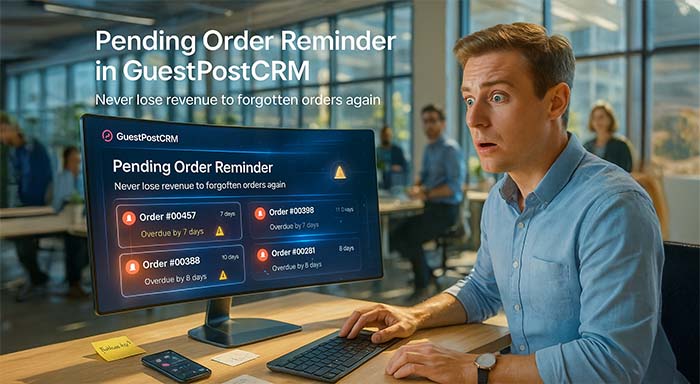
GuestPostCRM keeps things moving by automatically moving an order to the reminder section if it’s stuck in Pending for more than a week, the client hasn’t responded, or the team hasn’t done anything yet. That way, the reminder section becomes a clear “delayed orders” dashboard. Teams can instantly see which orders need attention and who needs a nudge, so nothing slips through the cracks.
3. Why the Pending Order Reminders Section Exists
This section is all about keeping your workflow steady and your revenue on track. In a busy agency, it’s way too easy for pending orders to vanish in the chaos because of new messages or a thousand things happening at once. That’s why GuestPostCRM steps in. It keeps an eye on every order, flags the ones that are dragging, and brings the most urgent stuff right to the top.
The automatic Pending Order Reminder function is included as default for protecting an agency from missed follow-up actions on stalled orders, but GuestPostCRM is designed to allow agencies to customize these Order reminders as per their operational preferences by enabling or disabling the feature. This ensures that reminders support internal processes without forcing a rigid system, making Order Reminders both proactive by default and adaptable when needed.
Here’s what the reminder system actually does:
- No order gets forgotten, even when things get hectic.
- If something’s been stuck for more than a week, it gets flagged.
- The team always knows exactly which orders need attention right now.
- You don’t lose revenue just because someone missed a follow-up.
- Clients get quick responses, so they’re never left waiting.
- Everything stays organized — no messy pipeline, no missing details.
In simple words, Pending orders can kill your revenue, but GuestPostCRM has your back.
4. What Happens When an Order Enters the Reminder Section
When an order lands in the reminder section, the platform jumps in to keep things on track. It’s a smart way for teams to manage follow-ups, stay accurate, and keep orders moving once they get the answers they need.
So, what happens next?
- First, the order stands out for your team. Everyone sees right away which tasks need a little extra attention.
- You can reach out to the customer through automated follow-ups, or however you like—email, WhatsApp, SMS, or just pick up the phone. Whatever fits your workflow.
- AI helps out with message drafts. GuestPostCRM’s AI writes clear requests for clarification, so you don’t waste time figuring out what to say.
- The order stays on hold until you get everything sorted. No accidental publishing, no mistakes sneaking through.
- Once you’ve cleared things up, the order slides right back into your workflow. Everything picks up where it left off—no confusion, just smooth sailing.
5. Why This Reminder Is So Important for Agencies
Think of the Pending Order Reminders as more than just another alert. It’s one of those behind-the-scenes tools that keeps everything on track. When it watches out for orders that haven’t been wrapped up, teams avoid those annoying bottlenecks and always know exactly where things stand.
Here’s why this feature really matters:
- It catches orders before they get lost in the shuffle.
- Teams claw back revenue that would’ve slipped away to delays.
- Clients get faster replies, so they actually feel heard.
- Clear instructions mean fewer mistakes, less confusion.
- People stay accountable—no one can just shrug and say, “I didn’t see that.”
- The order pipeline? It actually stays organized.
Take away this reminder, and things unravel fast. Projects stall, clients get annoyed, and money slips through the cracks. No one wants that.
6. Example Workflow
Let’s break down how this feature actually works with a real-world example.
You receive content from your customer with several outbound links that seem questionable. So, you flag the order as "Pending". Now, you contact your customer and tell them that you want them to either change the links or explain them. If after 1 week you have received no feedback from your customer, the order will automatically go to the "Pending Order Reminder".
Your staff sees the reminder, follows up again, and finally receives the revised content. Once you've received the order, you reactivate the order and continue managing it.
In summary, this process assists you in managing your orders. You manage each order properly by ensuring that they do not get misplaced and that the customer does not wait too long for an answer.
Final Summary
Think of the Pending Order Reminders in GuestPostCRM as your team’s backup plan. When an order hits a snag, maybe the client left out some information; something needs to be cleared up, or there’s another hiccup—it lands in the Pending pile. If nobody fixes the issue after a week, the system bumps that order into the reminder section. That way, you will never forget to follow up.
This feature keeps your agency on its toes. You don’t lose track of conversations; you dodge publishing slip-ups, and you protect your revenue. Everything stays neat and above board. No matter how many clients or projects you’re managing, Pending Order Reminders make sure your workflow doesn’t miss a beat. Your order pipeline keeps moving—accurate, active, and always under control.
Frequently Asked Questions (FAQs)
1. What are Order Reminders in GuestPostCRM?
Order Reminders automatically flag and track orders that are stuck in Pending status, ensuring teams follow up before delays affect delivery or revenue.
2. When does GuestPostCRM trigger a Pending Order Reminder?
A reminder is triggered when an order remains Pending for more than seven days without client clarification or internal action.
3. Do Pending Order Reminders send messages to clients automatically?
No. The reminders alert your internal team only. You decide how and when to contact the client using your preferred communication channel.
4. Can a Pending order be published accidentally?
No. GuestPostCRM freezes Pending orders to prevent publishing until all issues are resolved, and the order is reactivated.
5. How do Order Reminders help agencies avoid revenue loss?
By surfacing stalled orders and prompting timely follow-ups, Order Reminders prevent missed opportunities, delayed publishing, and forgotten payments.



.png)
.png)