

%204.png) GuestPostMailer
GuestPostMailer





.png)
.png)
Earlier, paper stamps were important in businesses. But as the world is shifting online, documents rarely stay on paper. Everything is happening online, from emailing contracts, sharing invoices in PDF forms, to stamping approvals. As institutions, businesses, and professionals are shifting away from paper-based workflows, one new challenge emerges that is how to officially mark, approve, or verify a digital document without printing it? Due to this shift, a need for fast, flexible, and professional digital stamping tools has arisen.
This is where iCostamp shines. It is an online tool used to design and create customized digital stamps. Digital stamps are simply added directly to any document without the use of a physical stamp, printer, or graphic design software. From running a business, handling paperwork, to managing client documents, iCostamp helps you stay organized. It also maintains structure, authenticity and creates brand identity in a digital landscape.
What is iCostamp?
iCostamp is an online platform that is designed to help users create customized digital stamps easily and quickly. These stamps can be applied to various document formats such as PDFs, images, invoices, contracts, certificates, and reports.
It empowers you to digitally design a stamp and apply it directly. It saves the time, effort, and resources of printing a document, stamping it manually, and scanning it again. The tool focuses on simplicity. To use this tool, you don’t need any experience in designing, technical knowledge, or advanced software. Everything works directly in your browser.
Why Digital Stamps Matter Today
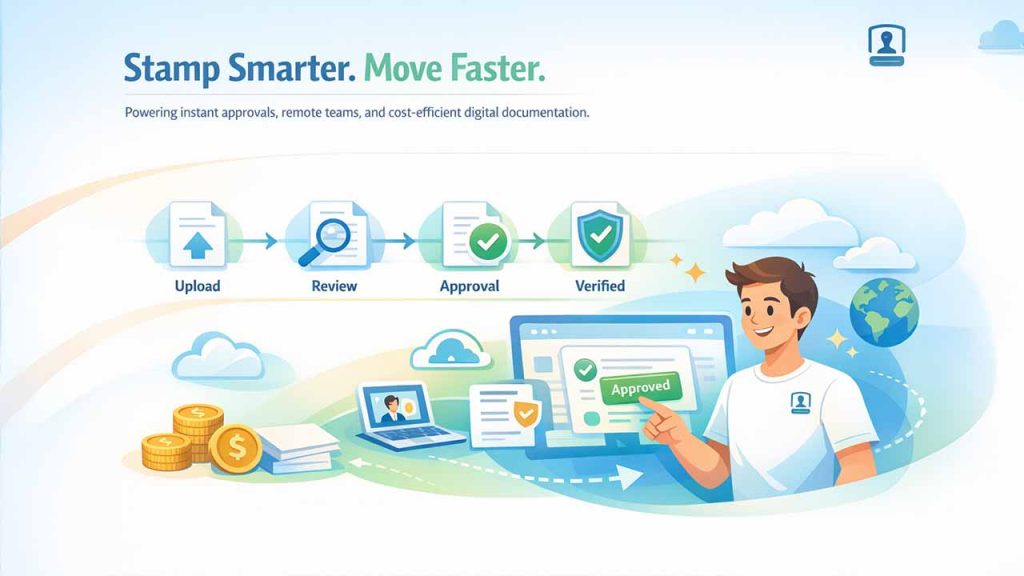
Traditional stamping methods have become inefficient as more businesses and individuals move toward paperless workflows. Digital stamps help solve many modern-day problems:
1. Rapid Processing of Documents
When documents are submitted for review, approval, or acknowledgement:
- Delays due to physical stamping.
- Inability to obtain all remote approvals.
- Teams wait on printing and scanning.
- Teams stop progress while they print and scan documents.
With Digital Stamps, anyone from any location can get their documents approved or verified instantly.
2. Better Support for Remote and Hybrid Teams
As many companies embrace remote and hybrid team models:
- Physical stampers cannot be passed around easily.
- Office-dependent workflows slow down.
Digital stamps solve these issues by providing remote access through any web-enabled device, easily fit into cloud-based document solutions, and enabling teams to get approvals or stamped documents remotely without experiencing bottlenecks. For teams looking to streamline their entire project workflow alongside document approvals, platforms like Pasonet offer comprehensive project management and collaboration solutions.
3. Improved Professional Consistency
Unlike Physical stamps, Digital stamps do not fade, wear out, or diminish over time. They do not change in visual appearance, and maintain:
- A consistent visual appearance.
- Consistently high-quality stamps across all stamped documents.
- Stamped documents align with the organization's brand identity.
To ensure your clients see the same professional quality documents, it is imperative to ensure consistent stamping methodology on all official records.
4. Reduced Operational Costs
Organizations will immediately notice financial advantages by switching to digital stamping, as they will benefit from:
- Substantial cost reduction for printing.
- No cost to replace or purchase ink and stamp.
- Significant cost reduction for storing and archiving documents.
Organizations that use digital stamping have experienced significant savings. In short, digital stamps are no longer a convenience; they are a necessity for modern documentation.
Key Features of iCostamp
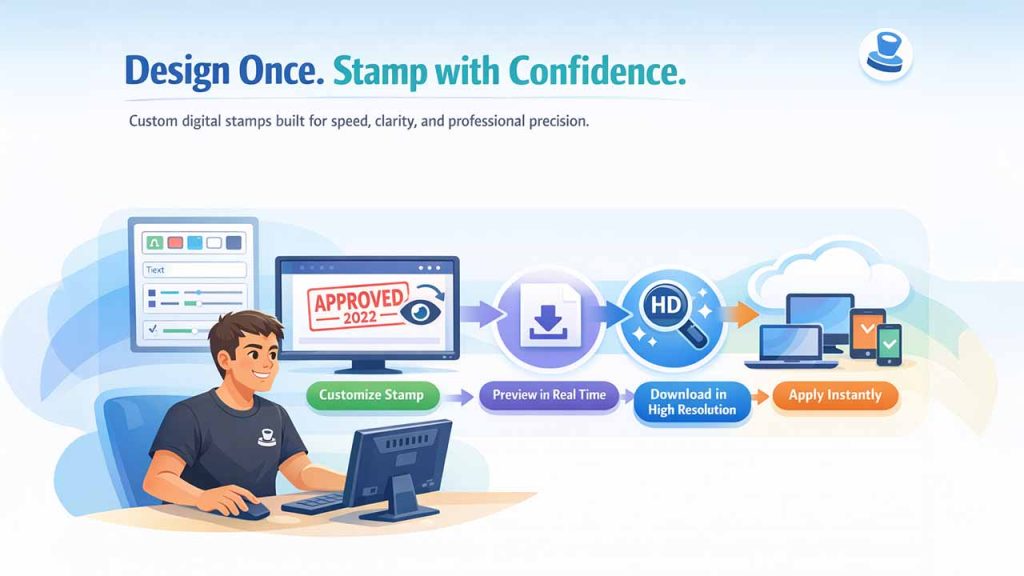
Now that we have seen why digital stamps matter today, let’s look at key features of iCostamp:
1. Creating Custom Digital Stamps
iCostamp lets you completely customize your stamp design to meet your specifications. The following are the capabilities of iCostamp:
- Text customization: You can add company names, approval labels, dates, reference numbers, or job titles such as “Verified,” “Approved,” or “Confidential.”
- Shape selection: There are various stamp shapes for different purposes: round stamps are for official use, rectangular stamps are typically internal stamps (to use within your organization), and square stamps are ideal for corporate branding.
- Layout control: It is possible to adjust the spacing, alignment, and overall layout of all stamp elements so that the stamp appears clean and organized, rather than chaotic.
Importance of customization:
- Different departments require different styles of stamps.
- Legal, finance, and operations teams all have unique requirements.
- Custom stamps ensure that the stamp fits the purpose of the document.
2. Real-Time Preview of Stamp Design
While designing the stamp, iCostamp gives users the ability to see the design of the stamp in real-time. Benefits of this feature include:
- Users can visually assess how changes impact the overall appearance of the stamp.
- Users can identify errors before printing.
- There is no need for multiple attempts to download a stamp until they assign those changes for use.
Users who may not be graphic designers will benefit from the increased ease of use, and this feature speeds up the process of creating digital stamps significantly.
3. High-Resolution Stamp Output
Once you finish your stamp, iCostamp lets you download it in sharp, high quality. Why this is important:
- Low-resolution stamps look sloppy and unprofessional on official paperwork.
- Blurry or pixelated stamps make you and your documents look less credible.
- High-resolution stamps remain clear even if you resize them.
So, iCostamp works great for legal contracts, financial records, certificates, and any client deliverables that you want to look polished.
4. No Software Installation
The iCostamp app runs right in your browser as a web application. This means:
- There is no need to install any software.
- No issues regarding compatibility across devices such as laptops, tablets, or desktops.
- There is no need to get IT support involved.
Users can create stamps anywhere (laptops, desktops, or tablets), switch between devices without losing access, and work faster even for one-time needs. You can access the platform directly at icostamp.com without downloading anything.
5. Simple and Intuitive Interface
The platform keeps things straightforward to avoid unnecessary complexity. This benefits users because:
- No need to wrestle with a bunch of confusing features.
- There’s barely any learning curve.
- You can finish your task fast.
- You won’t be overwhelmed by multiple complex options.
Even if you’re a first-time user, you’ll be able to figure out the layout right away. You can design a stamp in just a few minutes; no tutorials or guides are needed. According to iCostamp reviews, users particularly appreciate the intuitive design that requires minimal training.
Real-World Use Cases for iCostamp
To understand the practical value of iCostamp, it helps to see how different professionals and industries use digital stamps in their day-to-day work.
Business and Finance
iCostamp improves accountability and reduces confusion in financial workflows. It is commonly used to:
- Mark invoices as “Paid” or “Approved”.
- Validate internal reports.
- Track document status clearly.
Legal and Compliance Teams
Legal documents often require clear markings. Digital stamps are especially useful when documents are shared digitally across multiple stakeholders. iCostamp helps by:
- Indicating confidentiality.
- Showing review or approval status.
- Supporting audit trails.
Education and Training
Digital stamping makes academic processes faster and more transparent. Educators and institutions use digital stamps to:
- Approve assignments.
- Certify documents.
- Mark evaluations or results.
Freelancers and Consultants
Icostamp enhances professionalism without added overhead. For independent professionals:
- Stamps add credibility to deliverables.
- Branding remains consistent across clients.
- Approval and completion statuses are clearly visible.
How iCostamp Works (Step-by-Step Explanation)
One of iCostamp’s biggest strengths is how simple and straightforward the entire process is, even for first-time users. For those with an account, simply use iCostamp login credentials to access your saved templates and designs. The process is intentionally simple:
- Open iCostamp in your browser.
- Select a stamp template or start from scratch.
- Add text and customize layout.
- Preview the stamp in real time.
- Download the final stamp.
- Apply it to documents using your preferred document editor.
This workflow fits easily into existing document processes without disruption.
ICostamp vs Traditional Stamping
Comparing digital stamping with traditional paper-based methods clearly shows why many organizations are making the switch.
| Traditional Stamping | ICostamp |
|---|---|
| It requires printing | It is fully digital |
| Manual effort | One-click usage |
| It offers limited flexibility | It is fully customizable |
| It required physical storage | It is Cloud-based |
| It is very time-consuming | Produces instant results |
Who Should Use iCostamp?
iCostamp is designed for a wide range of users who deal with documents regularly and want a faster, cleaner way to manage approvals and verification. It is suitable for:
- Small and medium businesses
- Legal professionals
- Educational institutions
- Remote teams
- Freelancers and consultants
If your work involves approving, verifying, or branding documents, iCostamp is a natural fit. Many icostamp reviews highlight how the tool has simplified document workflows for professionals across various industries.
Conclusion
To sum up, iCostamp reinforces a real change from traditional paper and physical stamps towards more intelligent, digital document processing. It supports companies in streamlining their approval processes and keeping all their documents consistent, making it easier for them to operate effectively in a digital-first workplace. iCostamp is a versatile solution for internal processes, client files, and official documents that meet the needs of modern businesses. As businesses transition more towards remote work and electronic filing systems, tools such as iCostamp become more than simply convenient; they become a necessity for staying organized, secure, and productive.


.png)
.png)
.png)
.png)