




.png)
.png)
In the guest posting industry, hundreds of actions take place every day without anyone fully noticing the chaos behind the scenes. Emails arrive at different times, offers are accepted or rejected, spam is filtered, duplicates are detected, deals are created, and replies are sent automatically. These operations run seamlessly, usually across diverse team members and streamlined workflows.
With traditional CRMs, the major concern is not the automation but the lack of visibility. Most systems don’t offer transparency in their operations—users cannot track user activity, when it happens, and why the system made a particular decision. This lack of clarity leads to confusion, internal conflicts, erosion of trust, and workflow discrepancies.
GuestPostCRM solves this problem with one of its most advanced and thoughtfully designed systems: the Timeline.
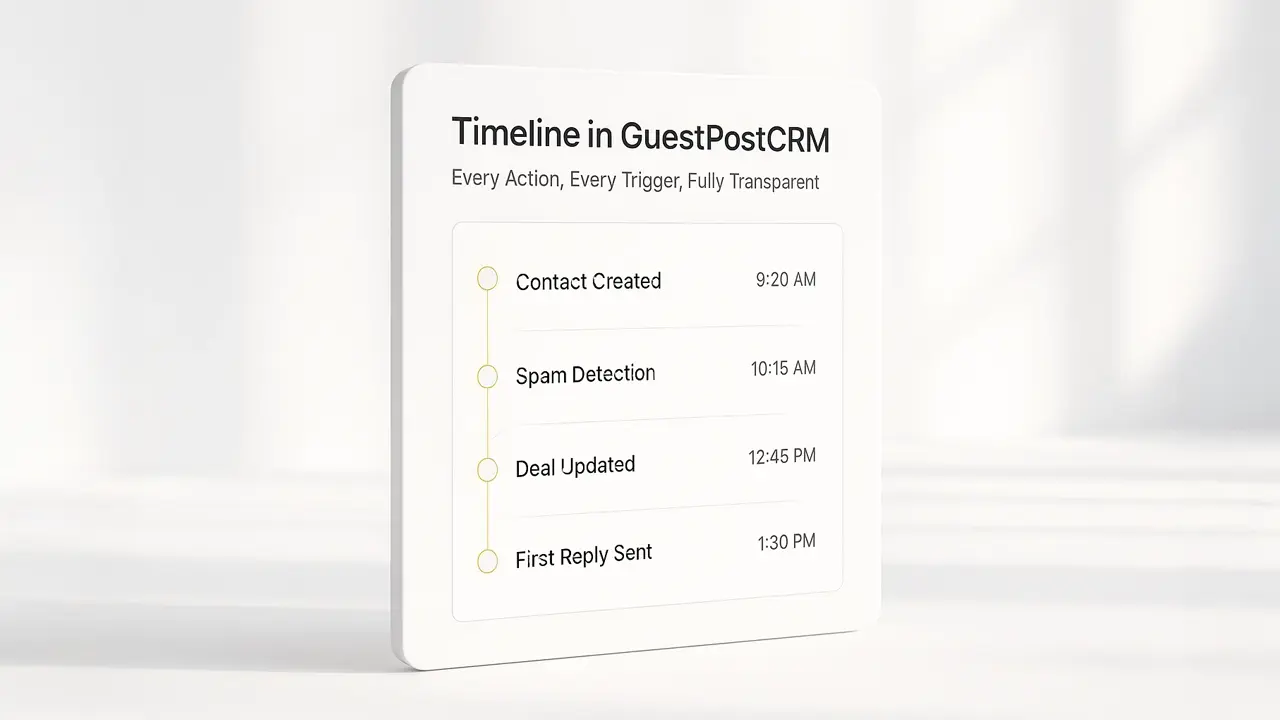
The Timeline in GuestPostCRM serves as the central nervous system of the platform. It captures, stores, and shows all key actions taken on emails, deals, and contacts, offering a comprehensive view of how each lead is processed.
Timeline in GuestPostCRM: A Quick Overview
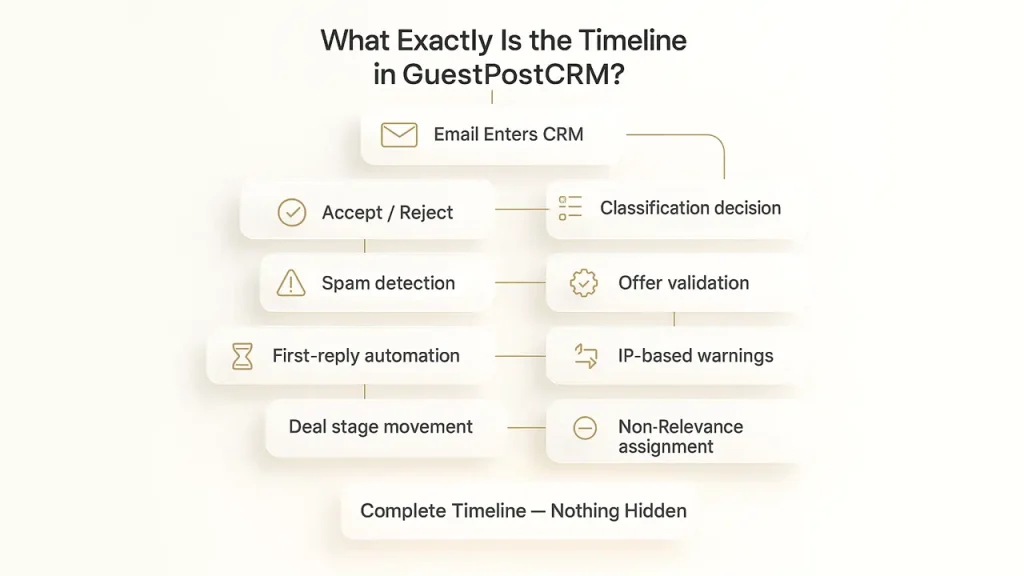
In GuestPostCRM, the timeline acts as a real-time activity log organized in chronological order that tracks every activity linked to an email, contact, or deal. The system begins functioning precisely the moment an email lands in the inbox. The timeline instantly records events such as
- Email grouping decisions
- IP-driven security alerts
- Spam identification outcomes
- Offer verification results
- Motive detection and tagging
- Non-relevance tagging and classification
- Acceptance and rejection activities
- Deal pipeline transitions
- Instant first-reply automation
- Redundant email and sender merging
Consequently, automated record-keeping establishes a clear, comprehensive history of every lead. Nothing is hidden, overwritten, or silently removed. You can always view the full journey of a conversation from initial request to final outcome.
Why Timeline Is the Essential Feature for Guest Posting Teams
Guest posting is a dynamic and error-prone business landscape. Even seasoned professionals can make mistakes if systems lack transparency and monitoring.
Without a proper Timeline, guest posting teams often face problems, like
- Emails are flagged as non-relevant with no relevant logic.
- Team members make modifications without proper documentation.
- Deals often get rejected without anyone knowing the exact reason.
- Clients claim that they didn’t get any response, even when they did.
- Automated processes run with limited transparency into the rules driving them.
The Timeline in GuestPostCRM removes all of these inconsistencies by serving as a definitive source of information. It clearly records what action happened, who performed it, the exact timestamp, and the system logic that caused it. This level of transparency leads to no internal ambiguities, cuts down errors, and boosts cross-team confidence in operations.
Read related: What Is “Motive” in GuestPostCRM? Real Examples of Motives and How AI Prompts Detect Them
What Types of Activities the Timeline Tracks
The Timeline in GuestPostCRM is built to be highly detailed, capturing a broad spectrum of activities inside the system.
Some of the most important tracked events include
- Contact creation when a new lead is generated from an incoming email
- Internal account creation events for system users
- Automated first replies sent to new inquiries
- Validation failures for low-quality or irrelevant offers
- Movement of emails into non-relevant or spam categories
- Creation, updating, and expiration of deals
- Motive detection such as price negotiations, refund requests, or link replacements
- Detection and merging of duplicate senders or IP-linked emails
- Automated offer rejections based on predefined rules
- Manual user actions, including edits, deletions, approvals, and status changes
This creates one of the most detailed audit trails available in any guest post–focused CRM.
How to Access and Use the Timeline in GuestPostCRM
The Timeline in GuestPostCRM is designed with simplicity in mind, allowing users to review activity logs without navigating through multiple screens. Whether you're managing a new inquiry or reviewing an older deal, the timeline is available directly within the related email, contact, or deal record.
Users can quickly scan events in chronological order, filter activities based on event type, and review complete action histories whenever required. This makes it easier to investigate issues, monitor automation, and understand the progression of every conversation.
For agencies managing hundreds of publisher relationships simultaneously, the Timeline works alongside GuestPostCRM's Outreach Management Software to provide complete operational visibility. Instead of switching between different tools, teams can monitor outreach activities, deal progress, and communication history from a single platform.
Customizable Timeline to Match Your Workflow
GuestPostCRM provides a default Timeline feature, but it's designed to be fully customizable according to the workflow requirements of everyone. You can configure which events to prioritize in your view, set up custom filters to focus on specific activity types, and even adjust how timeline data is displayed across different team roles. This flexibility ensures that whether you're managing a small team or scaling a large guest posting agency, the Timeline adapts to your operational needs rather than forcing you into a rigid structure.
How the Timeline Works as an Internal Audit System
The timeline is not just a log of events; it acts as a built-in audit engine for your entire guest posting workflow.
With this audit system, teams can:
- Automatically detect why a specific email was rejected
- Identify errors made by internal team
- Fix automation errors with no guesswork
- Confirm whether an automated or manual reply was sent
- Verify system decisions with real-time data
Rather than spending hours evaluating client conversations and histories across several tools, the Timeline in GuestPostCRM empowers teams to resolve workflow challenges in minutes.
Timeline Security and Data Integrity
A reliable activity log is only valuable if the information remains accurate and protected. GuestPostCRM is designed to preserve timeline records so that important operational events cannot be accidentally altered or lost.
Every logged event includes relevant details such as timestamps, user actions, system-generated events, and workflow changes, allowing teams to confidently review historical data whenever necessary.
The Timeline also works closely with GuestPostCRM's Duplicate Detection System, ensuring that duplicate emails, contacts, and sender records are identified and merged correctly. This prevents fragmented conversation histories and gives users a single, accurate record for every publisher or client interaction.
By maintaining consistent and trustworthy records, GuestPostCRM helps agencies reduce operational errors while improving accountability across the entire guest posting workflow.
How Timeline Data Improves User Experience
GuestPostCRM leverages the Timeline data to deliver a more structured, dependable, and intuitive experience for guest posting teams. This helps improve the routine experience of users in the most practical and system-driven way possible, such as:
- Complete visibility of conversations by keeping structured records of every event, response, and status change.
- Clear, transparent inbox management by classifying emails based on relevance, deal stage, and conversation record rather than relying on manual searching.
- Prompt issue resolution by tracking real-time activities, such as what happened, when it happened, and which system rule triggered the action.
- Minimized human error by offering teams a visible record that prevents the risks of redundant responses, accidental deletions, or missed follow-ups.
- Robust operational workflow, as every process adheres to the same transparent structure, lowers confusion and operational inefficiencies.
- Seamless team collaboration by giving multiple users the full lead context without requiring external interpretations or manual transfers.
As more Timeline data is collected, GuestPostCRM becomes easier to use, more organized, and more predictable for teams.
Why the Timeline Is a Game-Changer for Guest Posting Agencies
Guest posting is one of the most volatile digital landscapes. Agencies regularly deal with sellers using multiple identities, buyers renegotiating deals, delayed payments, long email threads, and complaints that appear months after a transaction.
The timeline transforms this chaos into clarity and structure by establishing a reliable source of truth.
The timeline in GuestPostCRM results in:
- Every operational step gets overlooked
- No user activity goes unmonitored
- All automated decisions have a clear explanation
- Workflow changes are recorded with proper evidence
This fosters precise control and transparency that conventional outreach and content-driven CRMs do not provide.
Conclusion:
The timeline in GuestPostCRM is designed by keeping complete visibility and accountability in mind. It serves as the cornerstone of this philosophy by ensuring that every email, deal, classification, and decision—whether automated or manual—is captured and logged with timestamps and clear explanations.
This stands out for GuestPostCRM as one of the most open and reliable platforms designed specifically for guest posting businesses, link-building teams, and SEO agencies.
The timeline is not just a feature. It is the operational backbone that makes GuestPostCRM reliable, scalable, and trustworthy for high-volume guest post workflows.
FAQs for Timeline in GuestPostCRM
Does the Timeline monitor automated replies and AI decisions?
Yes. The timeline feature in GuestPostCRM records every AI-generated first reply, motive detection, and system-based decision for enhanced transparency. and preserved forever.
Does GuestPostCRM log Timeline data permanently?
Yes. Timeline data is captured safely and is never modified, enabling you to review the complete journey of any lead whenever you need.
Can multiple team members access the same timeline?
Yes. GuestPostCRM allows all authorized team members to view the same timeline, ensuring everyone works collaboratively with the same accurate information.
How does the timeline enhance process visibility?
It establishes one reliable source of truth by highlighting what happened, why, and who performed each activity—in real time.

.png)
.png)