

%204.png) GuestPostMailer
GuestPostMailer




.png)
.png)
GuestPostCRM streamlines the invoice generation process with its automated PayPal invoice creation feature, eliminating the risks of errors through manual entry.
Traditionally, requesting a payment often becomes a wide, recurring process. Agencies need to juggle between messages, Excel sheets, publisher dashboards, and PayPal tabs. Every payment request typically means:
- Recalculating deal totals
- Copy-pasting link information
- Creating an invoice from scratch
- Building line items one by one
- Opening PayPal in another tab
- Confirming URLs from separate sheets
- Editing and re-editing until it finally matches the order
To resolve this issue, GuestPostCRM introduces one of its robust features: One-Click Invoice Creation.
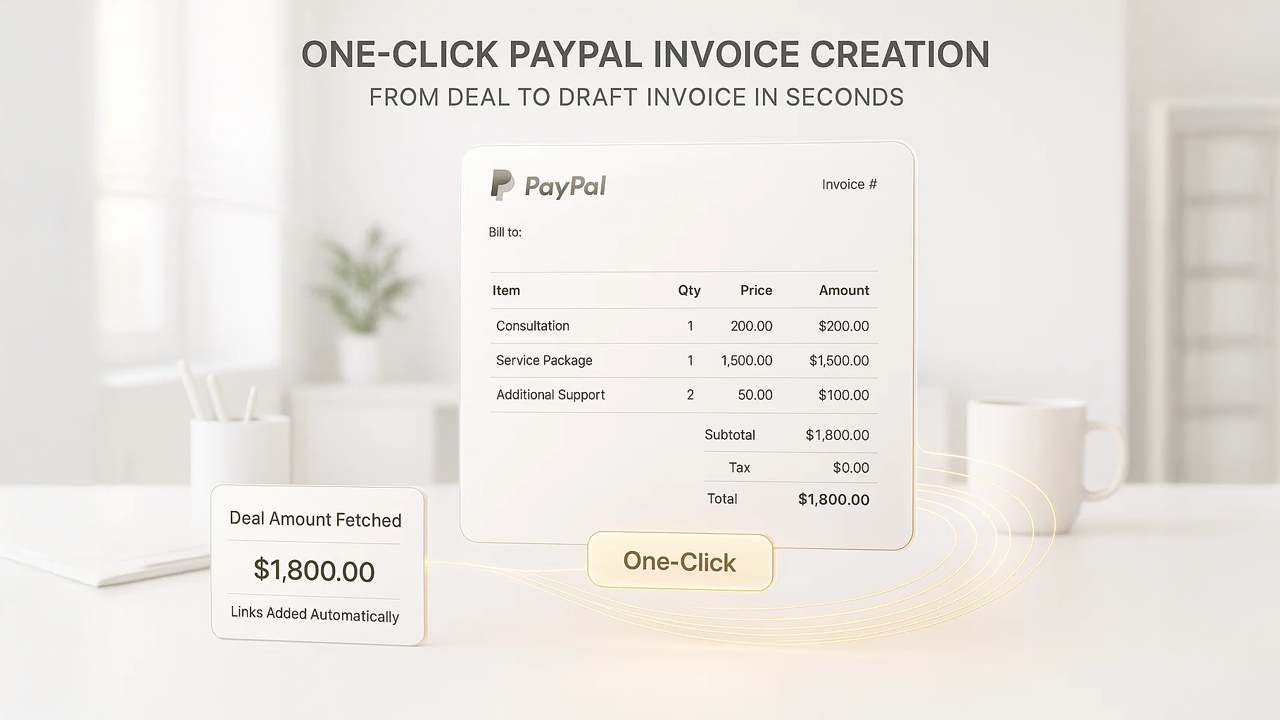
Through One-Click PayPal Invoice Creation in GuestPostCRM, it communicates directly with the official PayPal API and generates a fully structured, ready-to-edit invoice draft. This invoice already contains the correct deal amount, all billable links, and unified order context—automatically pulled from your CRM without requiring any manual data entry whatsoever. This feature is designed to keep a clean, precise, and uniform invoicing workflow where automation simplifies all intricate preparation, while you maintain complete oversight before delivering the final invoice.
How One-Click Invoice Creation Works in GuestPostCRM
When you decide to charge a client, this is exactly what happens behind that single click.
1. GuestPostCRM Automatically Captures the Final Deal Amount
The system instantly detects and extracts the financial information from the email thread, including:
- Final negotiated deal amount
- Any updated amount post offer acceptance
- Verified deal status, only if the deal is not cancelled, expired, or pending revision
- Currency integrated with the deal
- Price adjustment or increases (if used in the offer stage)
The PayPal invoice creation in GuestPostCRM lowers the chances of calculation errors, legacy pricing, typing mistakes, or inconsistencies between agreed terms and invoice details. In simple terms:
- The amount you agreed on is the amount placed in the PayPal invoice draft.
- No misalignment, no forgotten modifications, and no conflicts with your order dashboard.
2. GuestPostCRM Fetches All Relevant Links from Current Orders
Next, the system collects every link generated under that deal that is in a billable state, including:
- Published guest post URLs
- Link insertion URLs
- Multi-site packages
- Add-ons and upsells that are marked completed
- All placements included in the original deal
Each of these becomes a structured line item (or contextual description), allowing the invoice to reflect the exact deliverables you provided.
Additionally, you get a description upgraded with actual order details— titles, URLs, and placement counts — pulled directly from the publisher and order modules.
3. Unified Invoice for All Current Orders
If a deal contains more than one live order, GuestPostCRM combines all deals into one unified invoice.
The system automatically:
- detects all active billable orders,
- merge them into single invoice draft,
- and compile their information.
This is particularly helpful for:
- Bulk campaigns
- Extensive SEO packages
- Multi-site placements
- Loyal customers placing multi-link orders
In simple terms, when a customer places multiple orders using the email/client, GuestPostCRM instantly generates a single invoice encompassing all those orders—despite being placed individually.
This means:
- A single, clean, combined invoice contains the complete billing cycle.
- Eliminates the need to send multiple invoices for each order placed.
- No confusion for the buyer, ensuring clarity, efficiency, and a hassle-free payment experience.
This approach fosters transparent accounting. Faster payments. Zero duplication.
4. Invoice Is Created Directly in PayPal — In Draft/Preview Mode
This is one of the critical safety features of the PayPal invoice creation in GuestPostCRM. The system ensures that the invoices are not sent automatically. Instead, it:
- Auto-fills all line elements
- Check the invoice in Preview or Edit mode inside PayPal
- Generate the invoice within PayPal Draft mode
- Allows you review and modify invoice before sending
The system allows you to modify:
- Customer data
- Negotiated amount
- Taxes
- Descriptions
- Volume
- Line items
- Currency
- Notes or instructions
With this robust system, the risks of sending incorrect invoices to the wrong customer are greatly reduced, and without any hidden charges. Building on this foundation, automation handles 95% of the work while human review ensures 100% accuracy. Together, these practices create the safest and fastest invoicing flow available in the guest posting industry.
GuestPostCRM includes one-click PayPal invoice creation by default to simplify billing instantly. Agencies can customize how invoices are generated—auto-populate items, set default payment terms, modify templates, or turn automatic invoice creation on/off for specific clients or deal types. This flexibility ensures the invoicing process adapts to your unique workflow, not the other way around.
Additional Intelligence Built into This Feature
The simple PayPal invoice creation in GuestPostCRM goes beyond just convenience; it:
Automatically Syncs with Payment Ledger
Once the invoice is sent:
- Invoice ID is logged inside GPC
- Buyer’s ledger updates instantly
- Due amount is tracked automatically
- Payments apply as soon as PayPal webhook confirms
No risk of double entries. No changes in spreadsheets. No manual reconciliation.
Auto-Schedules Payment Reminders
Once invoice is generated:
- GuestPostCRM enables your standard reminder system
- Delivers reminders if payment is overdue
- Halts reminders once PayPal verifies the payment
You don’t have to chase clients—the system does.
Smart Defaulter Detection
If a buyer has unpaid invoices past your agency’s threshold:
- They are automatically marked as “Defaulter”
- New orders are locked or flagged (depending on your settings)
- Future invoices continue but orders may not proceed
The intelligent defaulter system in GuestPostCRM keeps your cash flow clean and structured.
Works with Multi-Currency Deals
If a client operates in a different currency, GPC:
- Creates the invoice in that currency
- Syncs the amount with PayPal accordingly
- Ensures correct conversion inside PayPal
Especially designed for EU, UK, US, AU, and UAE, the invoice creation in GuestPostCRM has gained rapid traction across the globe.
No Risk of Mixed Deals or Wrong Client Selection
As each invoice is linked directly to a specific deal:
- There is zero possibility of mixing orders from different clients
- No chances of utilizing the incorrect PayPal recipient address
- Everything flows seamlessly with your CRM data
How This Feature Fits into the Larger GuestPostCRM Ecosystem
The One-Click PayPal Invoice Creation in GuestPostCRM builds precisely within end-to-end operational cycle:
- A deal has been developed.
- Orders are placed under that deal or submitted via the same customer email.
- Orders move into a billable state once delivered.
- You trigger one-click invoice creation.
- GuestPostCRM prepares the invoice draft automatically in PayPal.
- You review, edit, and send the invoice.
- Payment is received on PayPal.
- PayPal webhook notifies GuestPostCRM instantly.
- Payment reminders stop automatically.
- Customer remains in good standing and ready for future work.
This helps agencies create a clean, predictable, and fully automated financial process.
Conclusion
One-Click PayPal Invoice Creation in GuestPostCRM offers unrivaled accuracy, speed, and financial management:
- Fetch the precise deal amount
- Extract all links from all current billable orders
- Integrates everything into a single combined invoice
- Delivers the invoice to PayPal as a Draft — not auto-sent
- Ensures everything adjustable before sending
- Connects with payment reminders and defaulter policies
- Aligns with PayPal webhooks and modify your ledger automatically
This approach eliminates the need to move between spreadsheets, email conversations, and PayPal accounts while ensuring that invoices stay accurate, consistent, and completely synced with your CRM data. GuestPostCRM handles the heavy lifting behind invoice preparation so your agency can focus entirely on fulfillment, communication, and growth while maintaining the accuracy and professionalism your clients expect.
This automated invoice creation feature fosters a system where you don’t waste time typing, risk billing errors, and juggle between orders, spreadsheets, and PayPal tabs. Instead, GuestPostCRM prepares everything—review, send, and get paid faster and more precisely within a single click.
FAQs for One-Click PayPal Invoice Creation
Q. How does a one-click PayPal invoice Creation in GuestPostCRM work?
A. GuestPostCRM fetches the negotiated deal amount, billable links, and live orders from email threads or CRM and delivers them to PayPal as a pre-filled draft invoice. This only requires you to review, edit if needed, and send.
Q. Does GuestPostCRM automatically send the invoice to the client?
A. No. Invoices are generated only in PayPal Draft mode, giving you full control to preview and modify details before sending them, ensuring complete accuracy.
Q. Can GuestPostCRM create a single invoice for multiple orders?
A. Yes. If a client has placed multiple billable orders, the system automatically combines them into one unified invoice draft to prevent multiple payment offers and confusion.
Q. What details are included in the automatically created invoice?
A. The invoice typically contains the final amount, link insertions, published URLs, multi-site placements, and all billable line items —organized and fetched directly from active orders.
Q. Does GuestPostCRM flag clients as defaulters for unpaid PayPal invoices?
A. Yes. When a client exceeds the associated payment threshold, the client is flagged as a Defaulter and blocks new orders until payment is cleared.


.png)
.png)
.png)
.png)