

%204.png) GuestPostMailer
GuestPostMailer




.png)
.png)
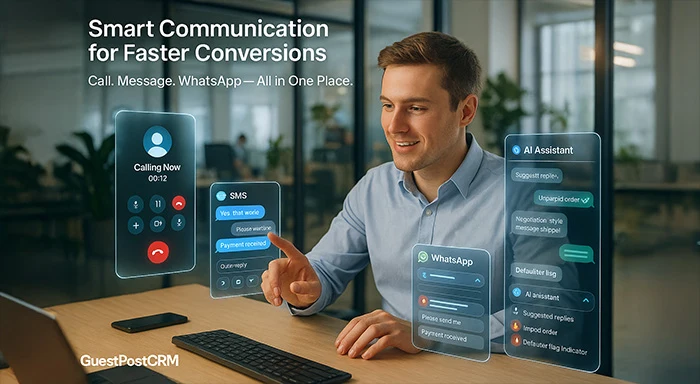
Guest posting business communications are not restricted to email alone. Buyers can request updates on an urgent basis, need immediate approvals, or might require instant clarifications. With omni-channel communications in GuestPostCRM, such interactions become smoother, quicker, and more reliable.
GuestPostCRM allows you to:
- Call the buyer to confirm the order.
- Send the message via WhatsApp for immediate approval.
- Share updates regarding payment.
- Ensure follow-up on content submissions.
- Quickly resolve disputes.
- Close your deals in real time.
All of this is facilitated via an advanced communication platform powered by the Twilio WhatsApp API, ensuring that the SMS, calls, and WhatsApp communication are consolidated under one roof. The straightforward advantage of this is that you do not have to switch devices or apps. You do not even have to manually save your contacts or add tools. Everything is automated inside GuestPostCRM.
1. The Technology That Powers GuestPostCRM’s Omni Channel: Twilio + GuestPostCRM Dialer
GuestPostCRM incorporates the communication API of Twilio to enable all communication features, including
- SMS texting
- Calling
- WhatsApp messaging
- Call recording
- Two-way conversations
- High reliability
- Instant delivery
Twilio integration makes sure your CRM has a global network infrastructure while making sure that the GuestPostCRM has an interface, as well as the automation layer. When they are combined, they ensure a comprehensive and omni-channel communication system right inside your CRM.
2. How to Make a Call Using GuestPostCRM?
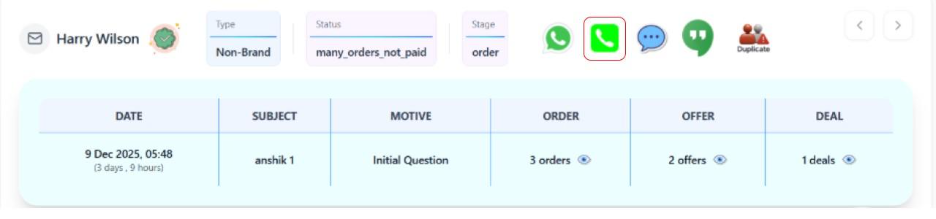
There is a call button inside every contact profile in GuestPostCRM.
To make a call:
- Open a GuestPostCRM contact.
- Click on the button “CALL.”
- GuestPostCRM establishes a connection with Twilio.
- You will be able to speak to the client directly via the web interface.
- The call is then automatically logged into the Timeline.
You get:
- Call status.
- Call duration.
- Call notes.
- Call recording (if enabled).
Everything is automatically stored—no external dialers are required.
3. Process to Send an SMS to a Customer from GuestPostCRM
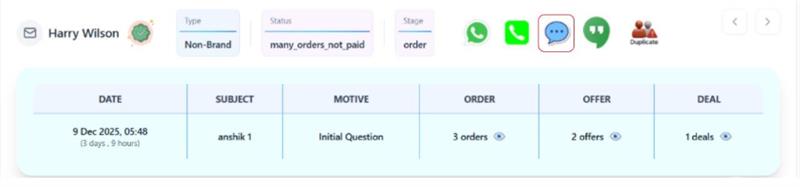
Right next to the call button is the button called “Send SMS,” which is also Twilio-powered.
Steps:
- Open your contact.
- Click on the button titled “Send SMS.”
- Enter your message.
- Select “Send.”
- GuestPostCRM instantly delivers the SMS.
SMS is especially valuable for:
- Quick confirmations
- Payment reminders
- Time-sensitive updates
- OTP or verification
- Deal follow-ups
Similar to calls, all SMS messages are then stored in the Timeline to get complete history tracking.
4. How to Send WhatsApp Messages?
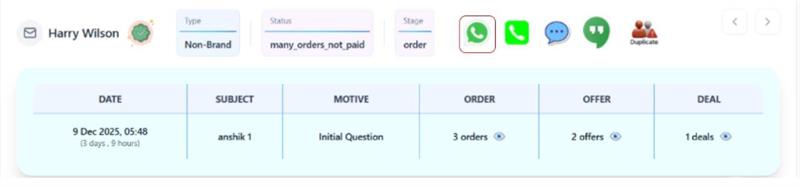
Among various communication channels, WhatsApp messaging remains one of the effective GuestPostCRM capabilities.
Steps:
- Open your contact
- Select the WhatsApp icon.
- Enter your text.
- Next, attach your files if required.
- Hit “Send.”
Explore More:
- Why GuestPostCRM Is the Best CRM for Guest Posting and Link Insertion Businesses
- Introducing the Hot Icon in GuestPostCRM: The Smartest Way to Never Miss New Opportunities
- What Is “Motive” in GuestPostCRM? Real Examples of Motives and How AI Prompts Detect Them
WhatsApp is extremely effective for:
- Payment screenshots.
- Quick questions.
- Negotiations.
- Sending live links.
Every message sent through WhatsApp is constantly logged inside the Timeline for comprehensive visibility.
5. No Need to Switch Between Applications
Without using GuestPostCRM, agencies generally switch back and forth between:
- Gmail
- SMS
- Phone
- Google Sheets
- Skype
- Slack
Since communication happens across multiple channels, they become disorganized and difficult to track. This creates a lot of confusion and ultimately leads to missed updates.
Inside your GuestPostCRM’s Live View, you get:
Calls + Email + SMS + WhatsApp + Timeline = Everything in a Centralized Place
This centralization makes sure:
There are no missed messages.
- Instant communication and approval.
- No negotiations that go unrecorded.
- No miscommunication among staff.
- Zero confusion.
You can make sure that each and every action remains documented.
6. How GuestPostCRM Enhances Communication Strategies of Guest Posting Businesses?
GuestPostCRM utilizes Timeline, AI, and Deals to generate smarter and safer communication steps. For instance:
If a customer has unpaid orders, the system warns you
- If the customer is a defaulter, calls/SMS can be restricted
- If negotiation is active, you get one-click templates
- If a deal is active, AI suggests the message
- If the user is from a risky IP, alerts are shown
- When you call, the timeline records the details
7. Why Is This Feature Important?
- Close deals quickly
WhatsApp messages and real-time calls enhance conversions.
- Quickly Resolve all Issues
Issues related to content as well as links are fixed within a few minutes.
- Minimize payment delays
A quick call turns out to be more effective than numerous email reminders.
- Enhance trust
Buyers prioritize professional and quick communication.
- Centralized record keeping
All communication remains inside the GuestPostCRM, organized, transparent, and searchable.
Final Summary
GuestPostCRM enables you to SMS, call, and send WhatsApp messages to customers directly inside the CRM via the elegant built-in dialer and Twilio’s API. You can:
- Instantly call customers
- Send SMS reminders
- WhatsApp messages
- Log each interaction in the Timeline
- Leverage AI-powered replies.
- Handle deals and communication together.
This converts GuestPostCRM into a complete communication channel that streamlines and accelerates client and contact interactions for guest posting businesses.
Q. Can I make calls from GuestPostCRM directly?
A- Yes, you can make calls using the call button available in the Live View of every contact. The call is powered by the Twilio dialer.
Q. Are you logging WhatsApp messages automatically?
A- Yes, every WhatsApp message shows up in the Timeline for comprehensive tracking.
Q. Does GuestPostCRM provide SMS support?
A- Yes, you can instantly send SMS through Twilio using the SMS button available in Live View of the contact.
Q. Are external apps required for communication?
A- You do not require any external integration. All calls, SMS messages, emails, and WhatsApp communications are managed through GuestPostCRM, which comes with built-in integration.
Q. Why is communicating with clients through a centralized environment so crucial?
A. It avoids lost approvals, missed messages, and confusion by making sure that all communication logs and functionalities remain in one place.


.png)
.png)
.png)
.png)