
- Blog
- Pricing
- Sign Up
- Login to App
Marketing Focused
Guest Posting Management
Agency Management
Client & Order Management
Publisher Management
Finance & Operations
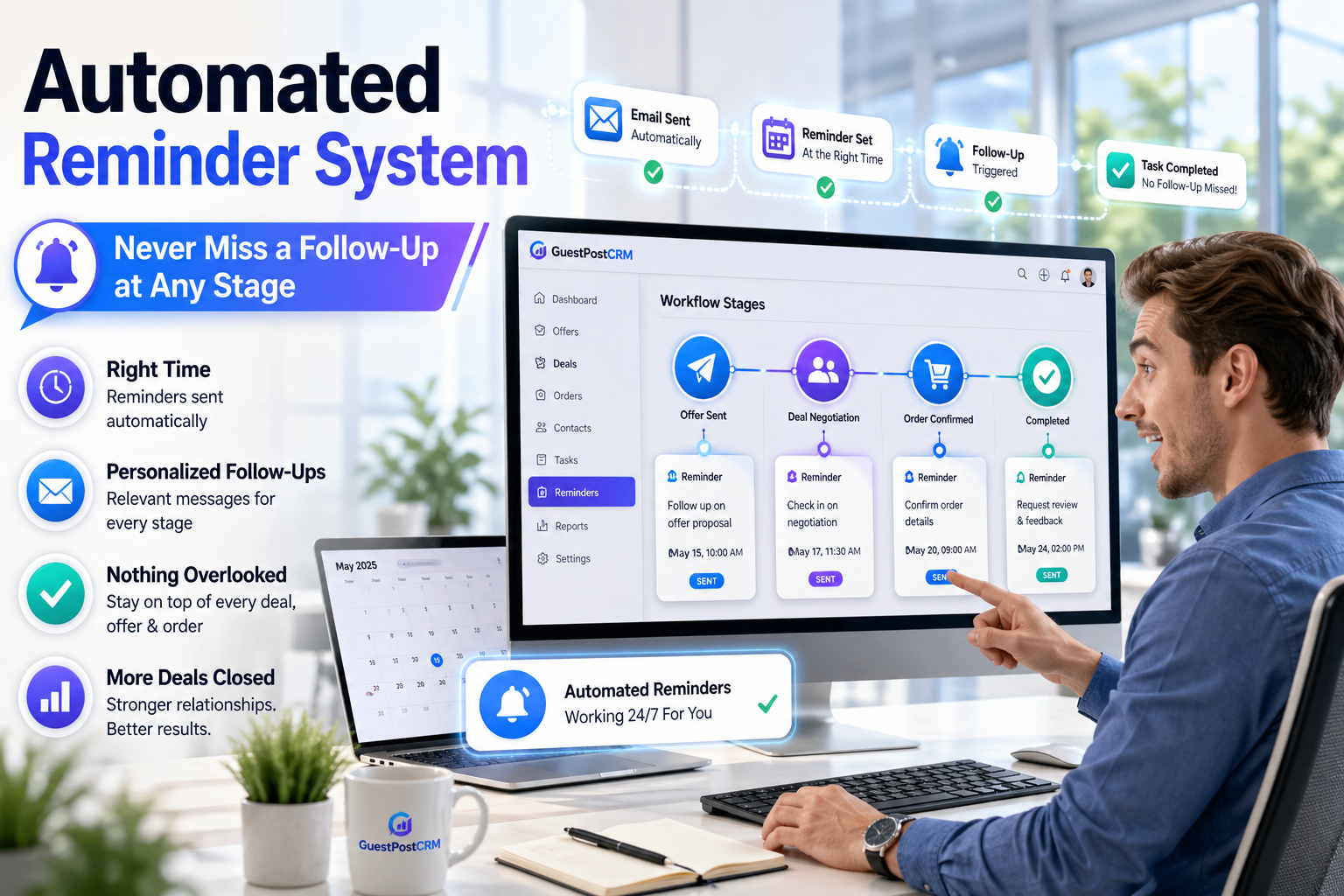
Managing offers, deals, and orders requires sending personalized follow-ups at the right time. In GuestPostCRM, every workflow stage is backed by a structured reminder system, so nothing is ever overlooked.
Without a reminder system, you will have to be extra-vigilant on emails, tracking when you should send follow-ups after replies. This requires effort and interrupts your workflow.
Without an organized system, you will make mistakes while sending follow-ups. You will end up sending a few follow-ups instantly while delaying or even missing out on others.
Timely reminders are often the difference between a closed deal and a canceled deal. Lack of it can lead to ignored offers, cold conversations, delayed deal closures, and pending payments.


GuestPostCRM triggers a reminder if the client does not responds after initial inquiry to make sure that the conversions remain active and keep on moving forward.

Offer stage reminder helps you make sure that your offers are not ignored. Timely follow-ups at the offer stage also lets clients know that you are open to negotiation.

You can send up to 3 reminders after sharing the deal summary to reinvigorate client’s interest and restart communication. This prevents delays in deal execution.
You can send payment reminders to encourage clients to make the payment on time. You can send up to 3 payment reminders to minimize overdue payments.
After we send a reply, an automatic follow-up reminder gets scheduled. This can restart conversations if clients forget to reply or lose interest.

As your deal progresses from new → offer → deal →order →payment, every stage is backed by a timely reminder that is scheduled, sent, or cancelled as per pre-defined rules. If a client leaves the conversation at any stage, the system places a reminder to bring them back.

There are default reminder timings that you can use to set up your reminders. However, you can also customize the waiting time of these reminders (hours or days) as per the industry standards or business workflow requirements.

The system automatically schedules the reminder and sends it when the pre-defined rules are met. This removes manual effort in tracking client’s response, personalizing reminders and choosing an appropriate time to send it.

If there are multiple reminders configured for a specific stage, they are sent in a proper sequence. For example, 3 payment reminders are sent after 7 days, 9 days, and 14 days respectively.

GuestPostCRM waits for a specific waiting period for the client to respond. If the client responds or completes an action within that period, the scheduled reminder automatically gets cancelled for that stage. The system updates the timeline with reminder workflow regularly.

Across the entire workflow, there is 0% manual work required to create, customize, and send follow-ups. The system takes care of follow-ups so that you can focus on closing deals and other strategic tasks.
Choose preferred time intervals for reminders at every stage. You can also change time intervals as per your industry standards, response time, deal urgency, or payment cycle.
Every reminder is associated with a particular stage, making sure that all follow-ups are contextually relevant, personalized, and accurate.
You can choose multiple reminders for a particular stage and remove reminders for that stage, customizing it as per your business workflow and industry.
GuestPostCRM automatically stops the reminder once the required action is completed; this removes the necessity of sending unnecessary follow-ups.
Tracks all reminders as well as their status within a unified system. You do not have to scroll through email threads to know how many reminders were sent and when they were sent.
Eliminate the need to remember, track, or manually send follow-ups at any stage.
No deal ever gets stuck because of missed delays or follow-ups.
Reminders sent in a timely manner ensure quicker decision-making and improve chances of replies.
Organized follow-ups minimize communication gaps between various stages and accelerate completion of deals.
Continuous reminders make sure that payments are not forgotten or delayed.
Each deal, lead, and payment gets proper attention in follow-ups.
Handle large volumes of deals without increasing manual workload.
Offer Tracking Accuracy
Time Saved Weekly
Faster Deal Closures
Offer Creation Time
Join global teams automating their guest posting and link insertion management and investing their time and resources on what matters, closing deals.
Got questions? Go through these FAQs. Here, we have answered the commonly asked questions about this GuestPostCRM's feature. If you have specific questions about GuestPostCRM's features, workflows, sign up process, or pricing,
feel free to reach out via our Contact Us page. You can also email us at [email protected].
A- It is a system of multi-stage follow-ups that triggers reminders automatically across distinct stages such as offer, deal, order, and payment.
A- You have total flexibility to choose as many reminders as you want to send at every stage.
A- Yes. You can determine the precise time interval for every reminder at every stage depending on your workflow.
A- Yes. Once the required action from the client is complete (reply or payment), the system stops the reminders automatically.
A- No. Once GuestPostCRM is activated, it can create, schedule, and send reminders automatically.
A- Yes. All reminders as well as their statuses are updated in the timeline. You can easily track all the reminders within a workflow in GuestPostCRM.

.png)
.png)


