

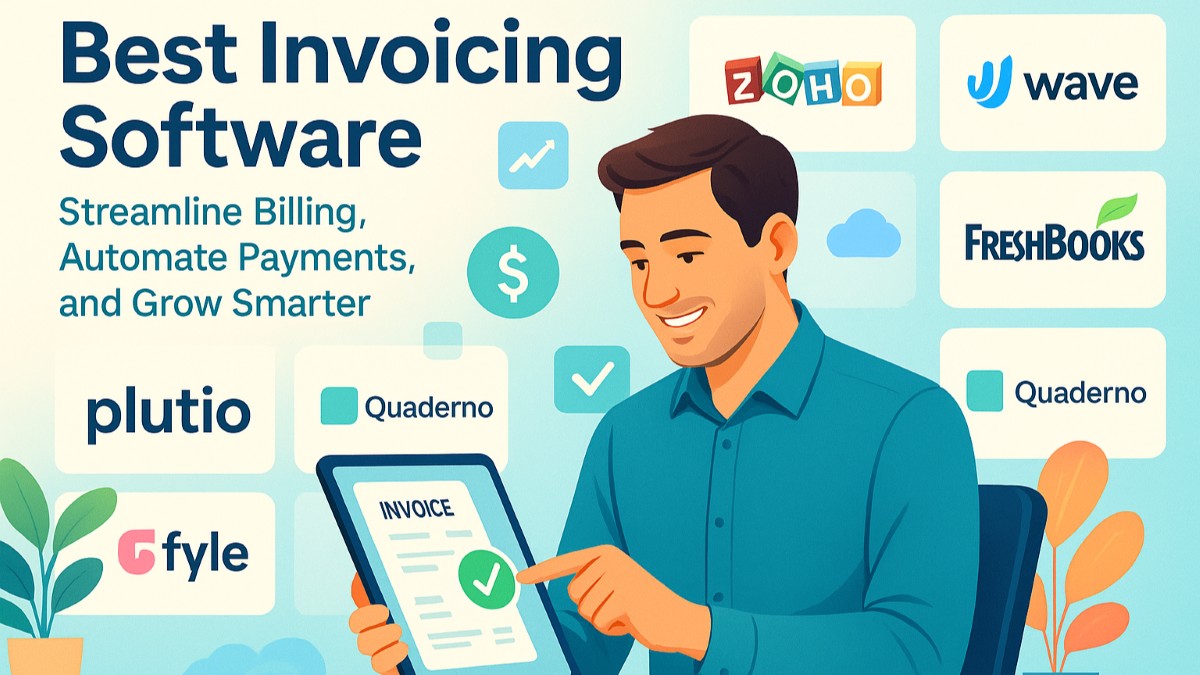
There is a prevalent belief in the market that invoicing slows a business down. It is repetitive and time-taking work, but it is one of the most important processes in the sales funnel, something that you cannot get it wrong. However, it does not mean that it should slow you down. You can choose from a plethora of options such as Wave and Zoho Invoice, and scalable solutions such as Plutio and FreshBooks, and AI-based options such as Fyle and Quaderno. The options mentioned in this list can help you automate and modernize your invoicing process.
Ideally, you should use tool that includes all the basics, you can upgrade as your team or client base evolves and allow the automation to manage the routine aspects such as recurring bills, reminders, tax calculations, etc., so that you can concentrate on the work that scales your business actually.
The best platform does not just help you get the payment on time. But it is also crucial for fewer disputes, cleaner records, and one less routine task to worry about as you scale.
Low-Cost & Free Solutions for Freelancers & Solo Entrepreneurs
Freelancers and solo entrepreneurs are always in favor of best invoicing software that is affordable and truly satisfies the standards of professionalism and convenience. Such tools offer trustworthy billing, payment tracking, and automation convenience at a low cost without costlier subscription plans.
1. EasyVend
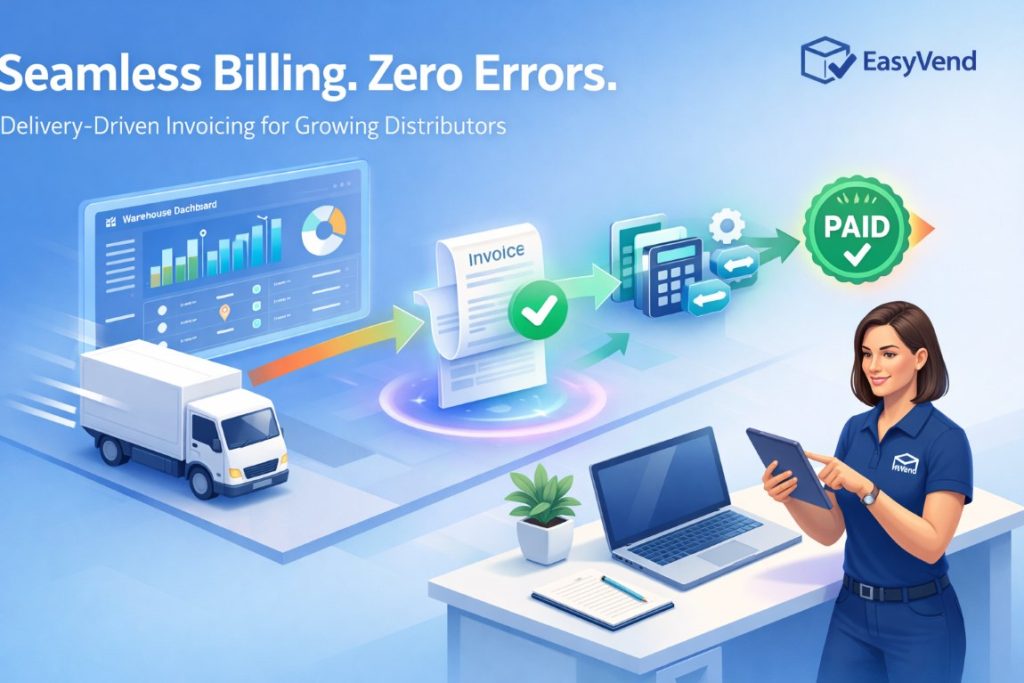
EasyVend is an Australian-built platform created for food and beverage distributors that manage recurring orders, deliveries, and customer-specific pricing. Invoicing is fully connected to orders and deliveries, reducing manual work and billing errors.
Since invoices are generated from actual delivery activity, teams gain greater confidence in billing accuracy and timing. This connection also helps reduce disputes and follow-ups related to incorrect charges.
Key features:
- Automatic invoice generation from confirmed orders
- Delivery-based invoicing with real-time updates
- Central dashboard to track invoices and payments
- Integration with Xero and MYOB for accounting sync
- Support for complex pricing and customer terms
EasyVend works best for distributors that want invoicing to operate as part of a complete, automated distribution system rather than a standalone accounting tool. The platform combines online ordering, delivery management, invoicing, and asset tracking into a single, connected system. By automating core workflows, EasyVend helps growing distribution businesses reduce manual effort, improve accuracy, and keep orders moving from placement through to payment.
2. Invoice Ninja

Invoice Ninja is free and open-source invoicing software that that often ranks among the best invoicing software for tech-savvy freelancers who require flexibility and control. Cloud and self-host functionalities are perfect for the ones which require enterprise-level flexibility at non-enterprise prices.
Key Features:
Time-tracking integrations, repeat billings on autodrive, payment gateways like Stripe and PayPal.
Drawback:
Slightly more technical setup and learning curve for someone who doesn't enjoy fiddling around with setup and config.
3. Zoho Invoice (Free)

Zoho Invoice is a simple and scalable invoicing system that’s often considered one of the best invoicing software options for solo business owners to have an unlimited number of customers for free. It plays nicely with other Zoho platforms, so it's perfect for someone who might one day need to scale up.
Key Features:
Customization of the template, automated processes, real-time tracking of the client payments.
Drawback:
There is no inbuilt bookkeeping module, therefore requires integration with Zoho Books in order to be able to carry out bookkeeping to its full potential.
4. Wave Invoicing

Wave is one of the top free bookkeeping and invoicing tools for freelancers who would like professional invoices with bookkeeping done automatically. Cutting costs and simplicity are favorite features among cost- and budget-conscious businesses.
Key Features:
Automated payment reminder, cash flow reporting, payment processing integrated.
Drawback: Limited customer support if you're not paying for add-ons. Users outside US/Canada can’t send invoices/reminders.
5. Invoicely

Invoicely offers affordable online invoicing with essential billing features for small business entrepreneurs. It’s considered among the best invoicing software for freelancers who need simple invoice creation, with the flexibility to upgrade as their business grows.
Key Features:
Multi-currency, branded invoice templates, mileage and expense tracking.
Drawback:
Premium automation and analysis on reports outside the free package.
6. Bookipi

Bookipi is a fast-growing, mobile-first invoicing software designed for freelancers and small businesses that want simplicity without sacrificing functionality. It offers unlimited invoices, real-time data sync across devices, and seamless integration with popular payment gateways. Its ease of use and focus on affordability make it a perfect entry-level invoicing tool in 2026.
Key Features:
Unlimited invoices with instant cloud sync and PDF exports.
Supports multi-currency payments and recurring billing for global clients.
Drawback:
Limited accounting and advanced reporting features compared to platforms like Wave or Zoho Books.
7. Refrens

Refrens is a freelancer-focused invoicing platform that’s rapidly gaining traction in over 150 countries. Known for its GST-compliant invoices, global currency support, and simple expense tracking, it’s a perfect choice for solopreneurs and agencies seeking a robust yet affordable invoicing solution. Its free plan is feature-packed, making it one of the best invoicing software for small businesses worldwide.
Key Features:
Professional, customizable invoice templates with multi-currency and tax compliance.
Built-in payment gateway integration and client management tools for seamless operations.
Drawback:
Limited advanced automation tools compared to premium SaaS invoicing platforms like FreshBooks or Zoho Books.
8. Invoice2Go

Invoice2Go is an easy and quick invoicing app that’s mobile-first. It’s widely regarded as one of the best invoicing software options for freelancers who prefer sending invoices and receiving payments on the move.
Key Features:
One-tap invoice creation, one-tap pay links, live expense tracking.
Drawbacks:
Fewer automations and integrations compared to its SaaS equivalents.
9. ZipBooks

ZipBooks is a simple, easy-to-use invoicing and accounting tool that helps freelancers generate invoices and monitor financial performance. Its free account makes it one of the best invoicing software options for trial users and beginners.
Key Features:
Unlimited invoices, smart financial information, easy accounting capabilities.
Drawbacks:
Few high-end billing and project management functionalities within the free product.
10. Paymo Starter Plan

Paymo unifies task management, time tracking, and invoicing in a single tool, ideal for freelancers that have multiple client projects.
Key Features: Integrated time tracking, Kanban boards, billable hours-based automatic invoicing.
Drawbacks:
Storage limits and fewer third-party integrations for the Starter plan.
Scalable SaaS Solutions for Small Business Growth
More customers mean more invoicing. These solutions balance cost, scalability, and feature enhancements — with multi-user support, automation, and integrations that make it easier to do business for small teams and start-ups. They represent some of the best invoicing software choices for growing small businesses.
1. Invoicera

Invoicera is a flexible invoicing solution used by over 3 million businesses. It’s often ranked among the best invoicing software for small businesses, thanks to its multi-currency billing, automated business process flows, and recurring invoices.
Key Features: Adjustable admin invoice templates, multi-language and multi-currency support, admin-expense and admin-time tracking.
Drawback: Old user interface, complicated workflow configuration.
2. FreshBooks Lite admin

FreshBooks Lite provides web-based invoicing and accounting with simplicity and customization as core features. It’s considered one of the best invoicing software options for small and medium-sized new businesses, offering the ideal combination of low cost and high functionality.
Key Features: Automated late fee reminders, time tracking, easy expense integration.
Drawbacks: Just five billable customers on Lite; need to pay extra for bigger businesses.
3. Pabbly Subscriptions

Pabbly Subscriptions offers billing, invoicing, and subscription management in one economical bundle. It’s frequently highlighted as one of the best invoicing software solutions for startups selling subscription-based products.
Key Features: Automated recurring bills, tax-friendly invoicing, great revenue analytics.
Drawbacks: Not as clean-looking, modern interface as newer SaaS tools.
4. Plutio

Plutio is an all-in-one business management tool that combines invoicing, project management, and CRM. It’s regarded as one of the best invoicing software options for small teams that need more than just billing from their low-cost software.
Key Features: Project collaboration, editable invoices, access to client portal.
Drawbacks: Steep learning curve because it has a lot of features.
5. Billdu

Billdu is a mobile-enabled expense accounting and invoicing tool designed for small businesses that need real-time, streamlined billing on the go. It’s often listed among the best invoicing software for entrepreneurs who prefer managing finances from their smartphones.
Key Features: Invoicing on-the-fly, receipt scanner for tracking expenses, business analytics dashboard.
Drawbacks: Limited template flexibility in lower plans.
6. InvoiceBerry

InvoiceBerry is simple to use, professional invoice software for small business and consultant use cases needing instant configuration and zero time to learn.
Key Features:
Professional templates, recurring invoice, expense tracking.
Good for complete entry-level features at affordable prices.
Drawbacks: Limited in advanced integrations and reports to its competitors.
7. Kashoo

Kashoo provides simple accounting and invoicing under one roof, best suited for small business needs requiring both without frills.
Key Features: Double-entry accounting, tax-ready reports, online payment integration.
Drawbacks: Not much at the cutting-edge features for businesses that need thorough analytics.
8. Zoho Books (Entry Plans)

Zoho Books is an low-end SaaS accounting software with high-featured billing. As part of the Zoho suite, it's a smart choice for companies looking to grow.
Key Features: Automated reminder payments, tax compliance feature, multi-currency invoices.
Drawbacks: Some of the more advanced features are buying more expensive plans.
9. QuickFile

QuickFile is a UK market-specific accounting and bill system that is ideally suited for freelancers and small business entities' local compliance and VAT requirements.
Key Features: VAT enabled features, cloud accounting, unlimited small accounts billing.
Drawbacks: Poor customer support in comparison to mass market players.
10. Elorus

Elorus offers invoicing, expense management, and project invoicing in a user-friendly design. It's ideally suited for firms requiring straightforward project finances and billing.
Key Features: Time tracking bundled with invoices, expense tracking, intelligent financial reporting.
Drawbacks: Some of the premium automation features are not included on more expensive plans.
Modern Cloud & AI-Invoicing Solutions
For businesses looking for something beyond basic invoicing, these platforms deliver cloud technology, AI-powered automation, and global compliance features. They represent some of the best invoicing software for freelancers, agencies, and SMBs that want time savings, smarter insights, and seamless global expansion — all without a large expense.
1. Fyle

Fyle is an artificial intelligence -powered expense and invoice platform that is meant to automate financial work. Its smart receipt scanning and enforcement of policies in real-time make it a favorite among organizations that require precision and compliance.
Key Features: AI-powered expense tracking, auto-extracting data from invoices, easy integration with QuickBooks and Xero.
Drawbacks: Ideal for teams; individual freelancers may feel the feature set is too much to handle.
2. Nummuspay

Nummuspay offers recurring billing and automated payments in a single integrated platform. It’s considered one of the best invoicing software choices for SaaS businesses and service providers operating internationally.
Key Features: Automated recurring invoicing, dunning management, international payment gateway integration.
Drawbacks: Limited options to customize the interface.
3. Moon Invoice

Moon Invoice is a multi-device invoicing program that synchronizes information across different devices easily. It is ideal for businesses dealing in invoices and payments through desktops and mobiles at the same time.
Key Features: Multi-device synchronization, cost and estimate monitoring, real-time payment status updates.
Drawbacks: Restricted reporting against more sophisticated SaaS participants.
4. Harpoon

Harpoon is accounting software with the extra benefit of being a financial planning and goal-setting application for freelancers and small agencies. It accommodates client billing and revenue target tracking.
Key Features: Auto-recurrence scheduling of project duration, invoices, and revenue forecasting tracking.
Drawbacks: Soft learning curve since it has financial planning as the core.
5. SimplyBill

SimplyBill offers quick, web-based billing in the spirit of speed and simplicity. It's perfect for freelancers who need no-frills billing options.
Key Features: Customizable invoices, tidy dashboard for tracking outstanding bills, PayPal integration.
Drawbacks: Unable to offer powerful automation and integrations for larger teams.
6. InvoiceOcean

InvoiceOcean is advanced, feature-laden billing software with in-depth reporting and multi-language support. It's particularly ideal for businesses needing scalability without high costs.
Key Features: Multi-language templates, stock tracking, financial dashboard.
Drawbacks: The user interface can seem complex to new users.
7. SliQ Invoicing

SliQ Invoicing is cloud-hosted invoicing software with strong cloud syncing capability, designed for small companies who need offline administration.
Key Features: Option of one-time license, auto-invoice number, recurring payment.
Drawbacks: Somewhat less tools for teamwork collaboration.
8. Zoho Subscriptions (Basic)
Zoho Subscriptions provides affordable recurring billing with deep integration into the Zoho platform. It’s regarded as one of the best invoicing software solutions for small startups managing subscription services and serving customers worldwide.
Key Features: Automated proration, tax-aware billing, real-time revenue tracking.
Drawbacks: Less flexible on the starter plan; expansion necessitates more expensive plans.
9. Rounded

Rounded is a tax-aware invoicing platform much appreciated by Australian freelancers because of its ease and tax compliance features built into it.
Key Features: Automated GST calculation, time recording, and banking reconciliation.
Drawbacks: Less accessible beyond Australia and New Zealand.
10. Quaderno

Quaderno was created with global tax compliance and automated invoices in mind, so it's perfect for businesses selling abroad.
Key Features: Automated multi-jurisdiction tax calculations, real-time compliance messages, multi-currency invoicing.
Drawbacks: Perfect for companies with international operations; could be overkill for local-only invoicing.
How to Choose the Best Invoicing Software
There are only so many inexpensive invoicing software programs available today, and you’ll need to choose the best invoicing software for your business based on company size, workflow, and growth plans. To make it easier, here’s a simple matrix to guide your decision:
1. Solo Freelancers and Side Hustlers
If you're newly started or have a one-man show with a small operation, simplicity and affordability will be priorities.
Look for: Cost-effective or free alternatives like Wave, Zoho Invoice, or Invoice Ninja.
Why it works: They provide pro-grade invoicing, simple expense tracking, and payment reminders without charge.
Pro Tip: Select one with simple export so future migrations will be a piece of cake when your business expands.
2. For Growing Teams and Small Businesses
When your client list expands or you’re working with a small team, scalability and collaboration features become critical.
Seek: Solutions such as FreshBooks Lite, Plutio, or Zoho Books that strike a balance between automation, multi-user support, and reasonable upgrades.
Why it works: They consolidate client information, automate periodic invoices, and support CRMs or accounting software for an efficient workflow.
Pro Tip: Purchase a solution offering payment gateway and project management tool integration you are currently utilizing.
3. For Subscription-Based or Global Operations
Businesses handling subscriptions or providing services to customers globally need automation, compliance, and advanced analytics within their tool.
Find: Advanced cloud and AI-driven platforms like Pabbly Subscriptions, Quaderno, or Zoho Subscriptions.
Why it works: They automatically repeetively charge, handle multi-currency invoices, and keep you compliant with international tax law.
Pro Tip: Choose those with real-time analytics and API support to future-proof your billing process.
4. Key Things to Compare Before You Decide
Before you decide, consider the following:
Value for money: Does the free or starter plan provide sound core functionality without the need for pricey add-ons?
Automation: Ensure recurring fees, reminder fees, and expense synchronization.
Scalability: Ensure the platform grows with your business — scalability should not mean having to restart.
Interoperability: Look for integration compatibility with current accounting, CRM, and payment software.
Support and Security: Prioritize those platforms that have great support and obeys data protection legislation like GDPR.
By mapping your current needs and growth plans against these factors, you’ll be able to choose the best invoicing software that keeps your finances organized today and scales smoothly for the future.
Free Vs Paid Invoicing Software: What Changes Actually?
If you want only standard features, you can go for free plans. However, a few limitations emerge as your business starts to grow:
- Client Caps: A lot of free tiers (ZipBooks, FreshBooks Lite) limit you to a fixed number of clients. If you want to include more clients, you will have to upgrade the plan.
- Automation Limitations: Automated late fees, recurring invoices, and payment reminders generally remain locked behind premium plans.
- Support Accessibility: Free users generally get community forums only, while premium plans unlock priority or premium support.
As a small business, free invoicing software is often sufficient. The moment multiple team members, recurring billing, or international clients enter the scene, it is more recommendable to go for a premium plan. This is unless your workflows are quite niche-specific and unique. For example, SEO teams managing guest posting workflows inquiries, going for specialized and automated invoicing and payment system is more advisable.
Common Invoicing Mistakes Small Businesses Need to Avoid
Even with the best software, there are a few invoicing mistakes that can slow down your business or affect your payments:
- Vague Payment Terms: "Due Soon" is not an exact due date. It is important to specify a clear due date and payment methods you accept.
- Inconsistent Invoice Numbering: Duplicating or skipping invoice numbers makes audits and bookkeeping more difficult than it is.
- No System for Follow-up: Manually chasing payments late wastes a lot of time. Using automated reminders built into the platform can solve this and avoid awkward emails.
- Ignoring Tax Rules or Multi-currency: Companies that do business with global clients require software that manages currency conversion and ensures total compliance with local tax laws.
As a small business, you need automated invoicing software to reduce manual mistakes and save time upfront than adopting a platform later.
Businesses that still process paper receipts and invoices manually can also consider Invoice Scanner Software to digitize documents, extract important data, and reduce data-entry errors.
Conclusion
Affordability does not mean you have to stay limited to a fixed number of customers. Irrespective of whether you are a freelancer sending your first invoice or an evolving team handling repetitive billing across multiple clients, you will find a platform on this list specially built for your requirements, ranging from free plans such as Wave and Zoho Invoice to AI-driven options such as Fyle and Quaderno.
The most intelligent approach is to align your tool to your present stage, not your future goals. Once your business grows and your clientele scales, you can assess things once again. Start with a lean approach and watch where the free plan begins to strain, missing automation, client limits, thin reporting, and then upgrade only when such gaps actually slow you down.
With or without software, there is no doubt that you cannot afford to be complacent with your invoicing. As the blog suggests, adopting the best invoicing software can not only boost your team's productivity in managing the invoicing process but also streamline invoicing data and enable you to be paid on time.
In order to optimize your financial operations and invoicing further, you need to consider exploring benefits of CRM and invoice factoring integration.


.png)
.png)