



Every IT team has one task that everybody wants to avoid. It might be manually moving data between two apps to sync them, or copy-pasting the same tedious report every Monday morning or chasing down approvals from five different email threads. These jobs are not hard; they’re just repetitive, which takes hours that could be spent on something that actually matters. That's the whole point of having IT automation tools. They automate the tasks that your team does every day. As organizations expand automation beyond IT operations, AI Sales Automation also helps streamline lead management, follow-ups, and customer engagement by reducing repetitive sales tasks. No one has to remember to do them manually.
This blog walks you through 11 best IT Automation Tools that are out there, what each one actually does well, and how to figure out which one fits your team instead of just picking the most popular that you have heard a lot about.
What are IT Automation Tools
IT automation software helps automate repetitive tasks and workflow processes without any human involvement. The software connects applications, processes data, and performs complex operations when certain triggers are activated.
Contemporary automation solutions vary from basic low-code platforms to complex development environments. They automate anything from connecting apps to other apps to complex data mapping and full-stack development, and minimize the likelihood of human error.
Short Summary of All 11 IT Automation Tools
- Zapier - Provides over 5,000 app integrations that help connect apps and automate simple workflows.
- Parabola – Deals with complex data transformations and automations involving various data sources.
- Airtable Automations - These are used for automating tasks within databases in Airtable.
- Make - Offers the capability for scenario development through sophisticated logic, branching, and conditions.
- n8n - An open-source automation tool that supports complete self-hosting and freedom of customization.
- Microsoft Power Automate: Immensely integrated with Microsoft tools such as Excel, Outlook, and SharePoint.
- Retool – This allows for rapid development of custom team tools and dashboards.
- Cursor - Provides AI-assisted coding support to accelerate the development cycle.
- Replit – Enables collaboration on cloud-based development with immediate environment creation setup.
- Alteryx - It offers enterprise-level analytical, data preparation, and automation capabilities.
- Bolt - Builds functional web apps with natural language instructions.
11 Best IT Automation Tools
1. Zapier
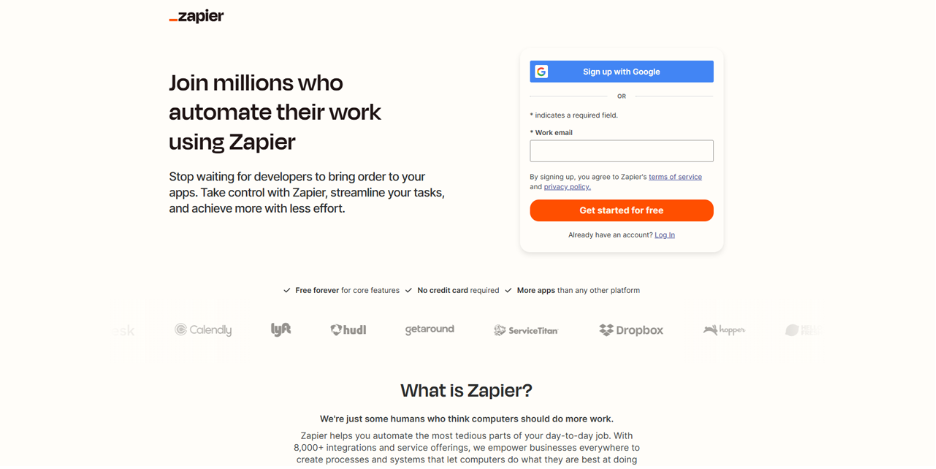
The best-known IT automation tool for workflows has been Zapier, with linkages to 5,000 applications. Its trigger-and-action system architecture has enabled even non-tech-savvy individuals to automate easily while performing complex workloads. Despite having a wide range of templates and documents, it has continued to be the leading solution for applications involving automation without programming.
Features
- Over 5,000 applications
- No-code trigger-action workflow builder
- Multi-step workflow processes for complex sequences
- Ready-to-use templates for common use cases
- Formatting and data transformation tools
- Conditionals with paths & filters
- Handling and monitoring errors
- Collaborative Working Environments
Price:

2. Parabola
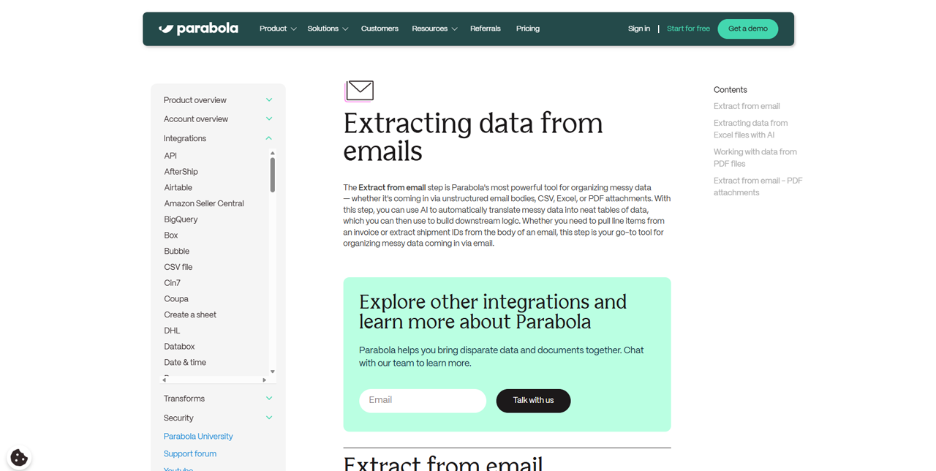
Parabola remodels complicated data processing using its graphical interface. The platform focuses on the conversion of disorganized data from email, PDF, and other systems into an organized workflow using the assistance of artificial intelligence-enabled functionality and previews offered by the software itself.
Features
- Visual workflow designer with real-time data preview
- Enhanced Data Transformation Functions
- AI-powered building assistance
- Digitizing documents from PDFs, Emails
- Automating financial reconciliations
- Real-Time Reporting and Dashboarding
- Smart notification and alerting
- Order and Inventory Management
- It is particularly well suited to unstructured data
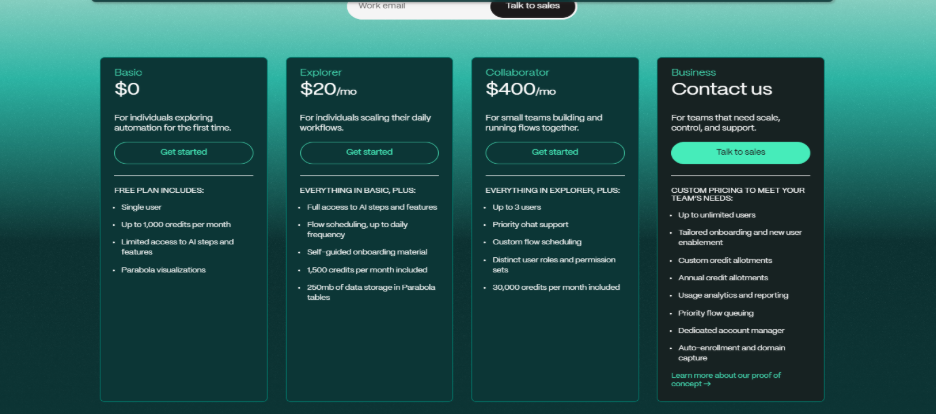
Price:
3. Airtable Automations
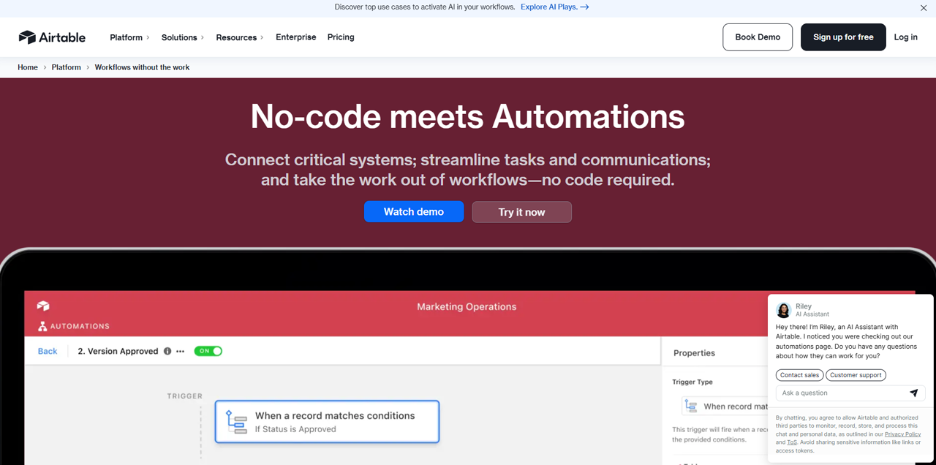
Airtable Automations is the introduction of the concept of automation in Airtable’s database platform. This allows teams to use Airtable without the need to use any other automation tool or service, as the automation process now seamlessly integrates with other Airtable features.
Characteristics
- Linking native integration with Airtable
- Basic trigger-action configuration
- Record update automatically
- Teambased notifications and alerts
- Automation of the assignment of tasks
- Content publication workflows
- Externally integrated apps
- Fixed scheduling
Price:
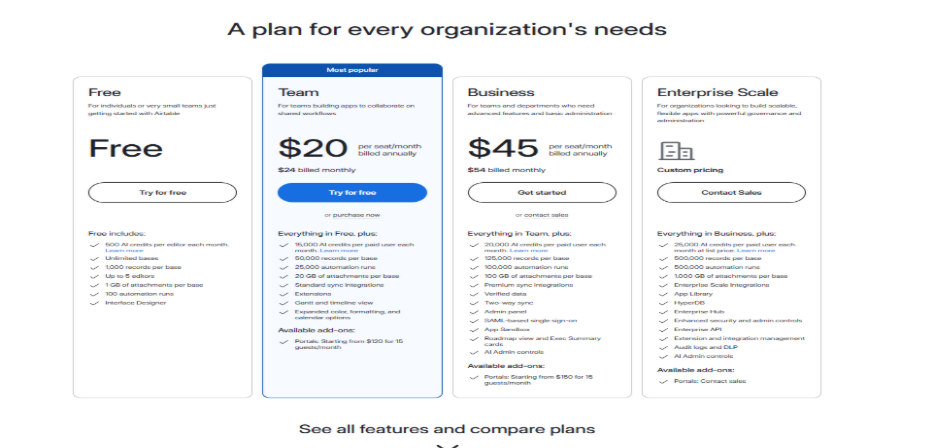
4. Make (Integromat)

Make offers powerful visual automation combining ease of use with advanced capabilities. Its scenario builder enables complex workflows with sophisticated conditional logic. Make appeals to users who need more control than simple tools provide but don't want to write code.
Features
- Visual drag-and-drop scenario builder
- Advanced routing and conditional logic
- Powerful data transformation functions
- Comprehensive execution history
- HTTP modules for custom API integrations
- Error handling and retry mechanisms
- Precise scheduling with cron expressions
- Variables and data stores
- 1,400+ application connections
- Competitive operation-based pricing
Price:
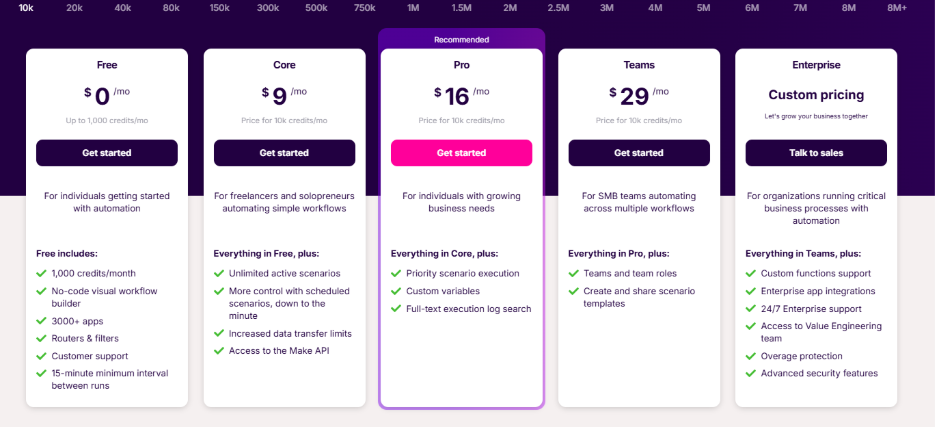
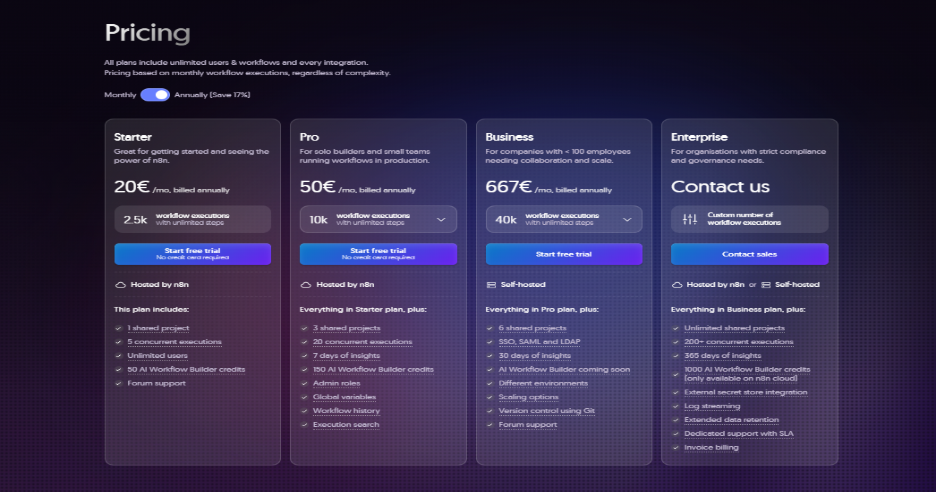
5. n8n
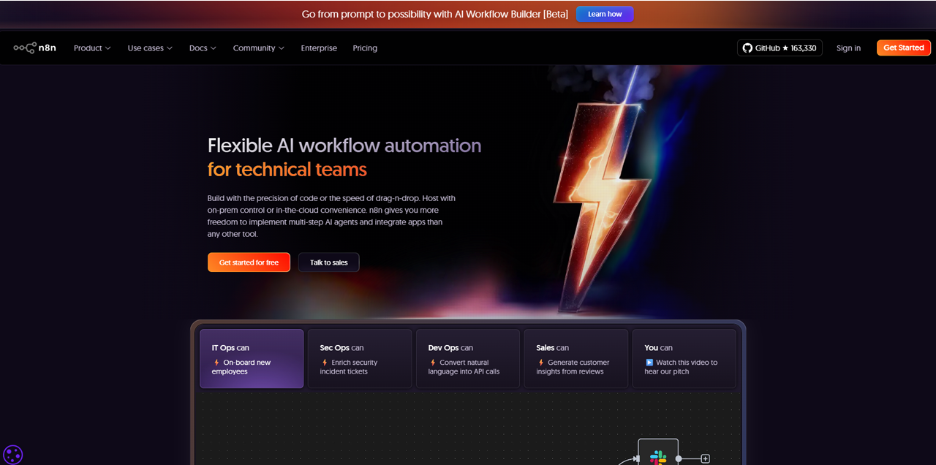
N8n stands for open-source automation alternative with fair-code licensing. The developer community and tech groups value n8n for its potential to be self-hosted and highly customizable. The tool allows flexibility to connect with any service, with a visual workflow to build.
Features
- Open source, self-hosting
- Fair-code licensing and source access
- Graphical workflow editor with code nodes
- Custom JavaScript execution
- HTTP request nodes in API integration
- Webhook support for real-time triggers
- Database nodes for Direct Operations
- Conditional Routing & Transformations
- Community Contributed Integrations
- Options for cloud hosting and self-hosted
Price:
6. Microsoft Power Automate

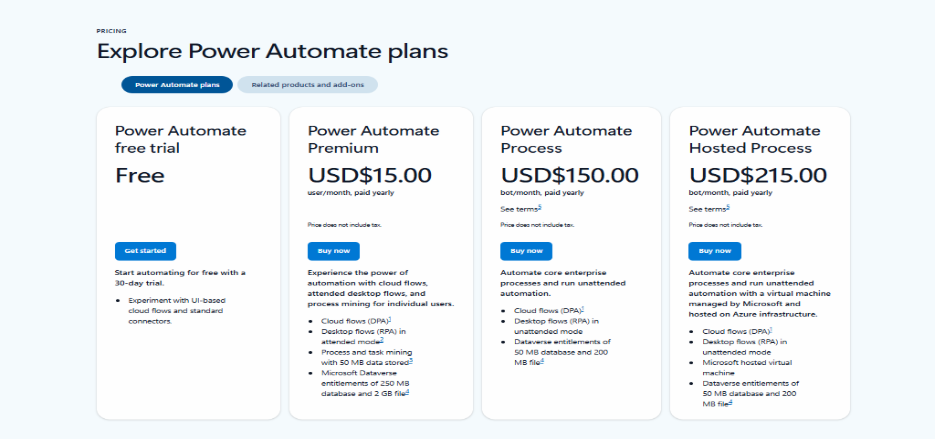
Microsoft Power Automate is deeply integrated with the Microsoft ecosystem. For enterprises using Microsoft 365, SharePoint, and Teams, it offers the best integration of any automation technology around, with enterprise-grade security. The platform spans cloud automation, desktop RPA, and AI-powered document processing.
Features
- Deep Integration with Microsoft 365
- Cloud flows for app automation
- RPA desktop flows
- Approval-enabled business process flows
- Document processing with AI builder
- Process advisor for automation discovery
- Robust security and compliance
- Enterprise governance capabilities
- Microsoft-specific templates
- Integration of Azure services
Price:
7. Retool
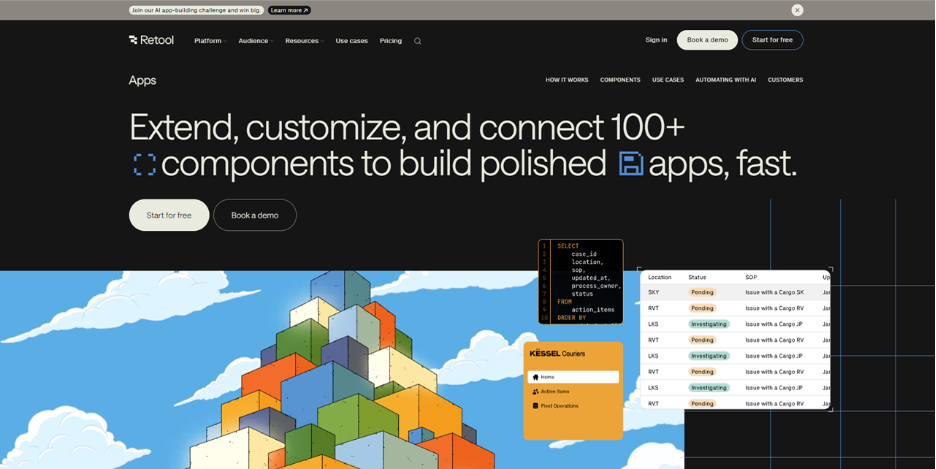
Retool simplifies the way people develop tools with its low-code platform to create custom applications. Unlike workflow-related platforms, it helps build admin panels, support pages, and data management systems. Using components and database access, it helps teams develop professional internal tools easily.
Characteristics
- Comprehensive pre-built UI components library
- Direct database connections (PostgreSQL, MySQL, MongoDB)
- REST and GraphQL API integration
- Custom JavaScript for advanced logic
- Mobile-friendly interfaces that are responsive
- Granular Permissions and Access Controls
- Version control and deployment management
- Real-time data updates
- Integrated workflow automation
- Enterprise security features
Price:

8. Cursor
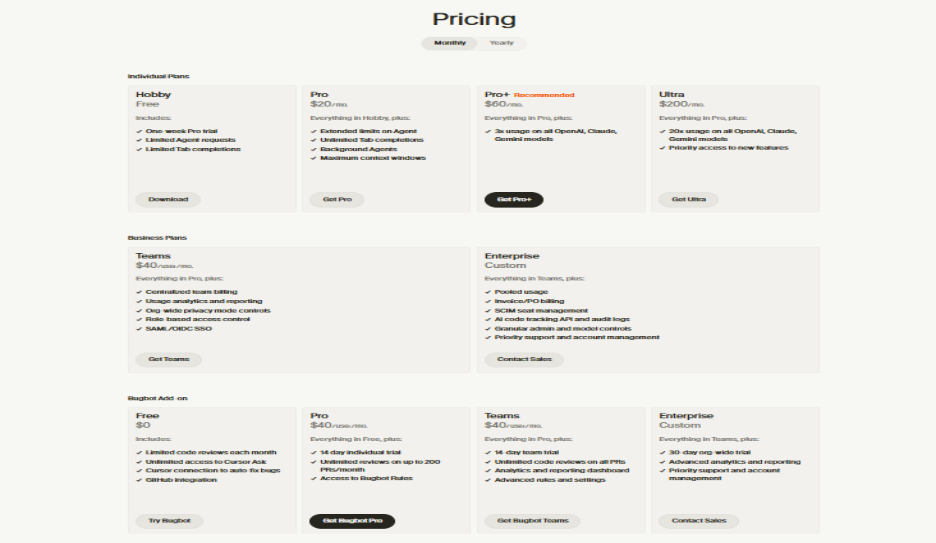
Cursor embeds AI assistance right into the code. Built for developers working on complex projects, Cursor acts like an intelligent IDE, fully understanding context, generating code from natural language, and accelerating development without compromising on code quality.
Characteristics
- Artificial Intelligence-based Code Generation from Natural Language
- Context-aware code completion
- Intelligent refactoring suggestions
- Advanced debugging support
- Framework learning and adaptation
- Multilingual support
- Integration with Git for version control
- Collaboration in editing
- Terminal integration
- Workspace and shortcuts customization
Price:
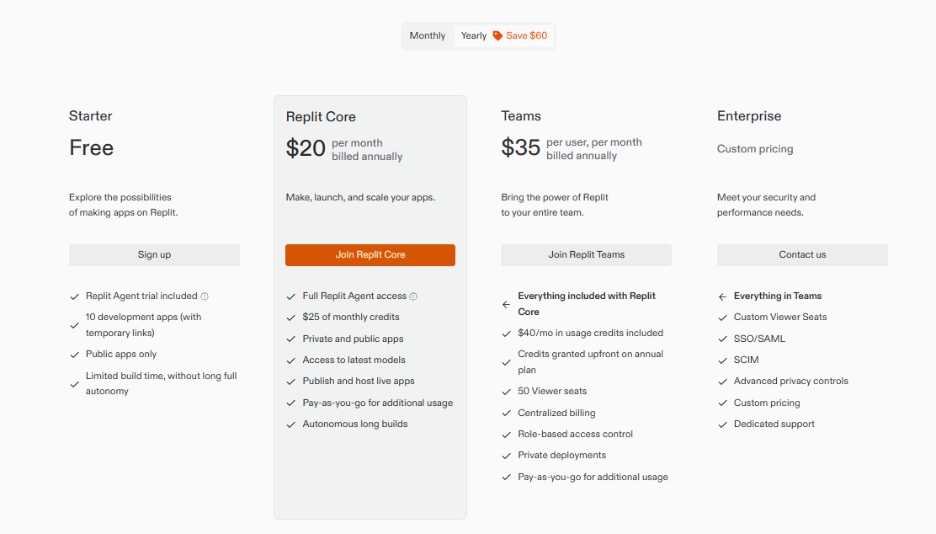
9. Replit
Replit is completely browser-based and gives developers an environment in which they can work on code remotely without setting up anything locally on their machine. Replit has been quite popular in academic circles, and since then, it has come a long way as a tool for rapid prototyping and collaborating on code.
Features
- 100% browser-based development
- 20+ Supported Programming Languages
- Collaborative coding in real-time
- Instant Deployment & Hosting
- Integrate version control system - Git
- Package management and dependencies
- Databases and integration in full-stack development
- In-browser code execution and testing
- Quick Start Templates and Boilerplates
- Software coding assistance using AI
Price:
10. Alteryx
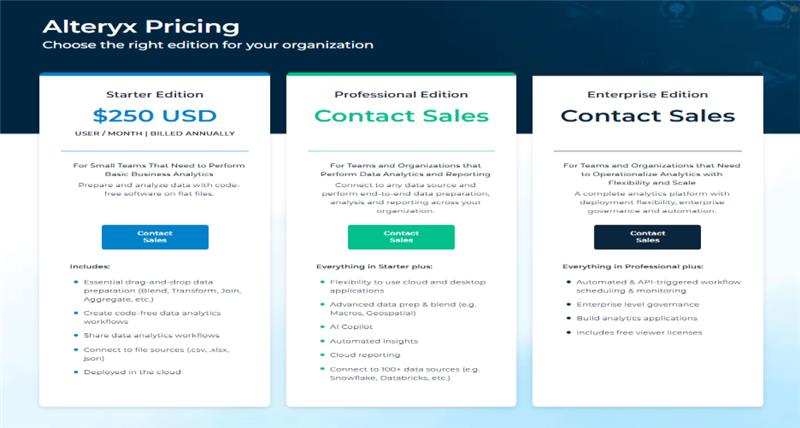
Alteryx is used as an enterprise-level analytic tool for businesses that have serious data requirements. Although complex and costly, Alteryx offers unparalleled services when it comes to blending data, advanced analytics, and predictive models. It is a necessary tool for businesses that have data-based decision-making demands.
Features
- Advanced Data Preparation & Cleanup
- Drag-and-drop workflow designer
- Blending of complex data from multiple sources
- Predictive and Statistical Modeling
- Spatial and location analytics
- Over 800 data connectors
- Reporting and Scheduling via Automation
- Reusable workflow macros
- Enterprise Governance and Security
- Deployment to desktops and servers
Price:
11. Bolt
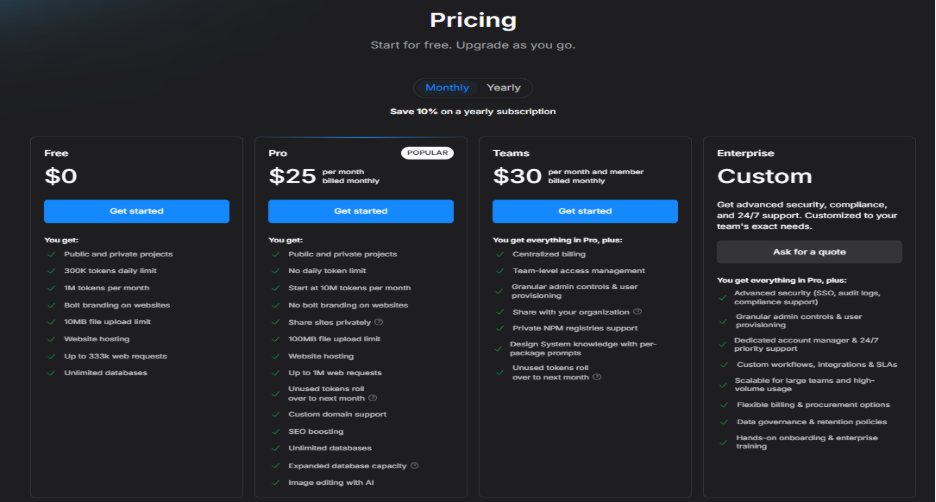
Bolt is on the leading edge of AI-powered development, allowing full-stack web application building only using natural language as input. A user describes what they want, and Bolt produces complete applications. This dramatically speeds up MVP development and opens web development to larger audiences.
Features
- Natural language to code generation
- Full-stack web development in browser
- Preview and deployment instantly
- AI-assisted debugging and optimization
- Prototyping of an interactive interface
- Setup and integration of the database
- API creation and management
- Responsive Design Generation
- Version control and iteration
- Development tool integration
Price:
How to Choose the Right IT Automation Tool for Your Business
When you have 11 solid options, the harder task is to figure out which one actually fits how your team works. Let's see how to narrow it down:
- Assess Your Team’s Technical Expertise: If your team doesn’t have too many developers, no-code tools like Zapier or Parabola will feel a lot less intimidating than tools like n8n or Cursor which need more hands-on technical experience.
- Choose a Tool That Fits Your Existing Tech Stack: If your company runs on Microsoft 365, SharePoint, and Teams; Power Automate is easier to setup than a general-purpose tool won't.
- Evaluate Your Data Complexity: Clean, structured data works fine with most tools. But if you're pulling information from PDFs, emails, or scattered spreadsheets; Parabola will save a lot of frustration since it is especially built for messy data.
- Select Tool That Matches Your Budget: Enterprise tools like Alteryx bring serious power, but that power comes with a serious price tag. For smaller teams, it is better to start with something like Zapier and scaling up only once the need is obvious.
- Decide Whether You Need Automation or Application Development: If the real goal is creating internal dashboards or full applications instead of just connecting apps, tools like Retool or Bolt are a better.
Obviously, there is no universal winner here. The right IT automation tool is simply the one that matches your team’s skill level, tech stack that you’re already using, and the actual problem you’re trying to solve; not the one that has longest feature list.
Conclusion
The IT automation world currently provides an historic chance to simplify operations, cut labor costs, and initiate digital transformation at an accelerated rate than ever imagined. Starting from simple app linkages using Zapier to artificial intelligence development tools such as Cursor, Bolt, the following list showcases the 11 IT automation tools available in the marketplace.
Which tool to use and when depends on expertise and financial considerations and scenarios for use among other factors for the team you are working with as a developer and/or technical professional. Non-technical teams can begin with no-code solutions such as Zapier and Parabola, while developers can consider n8n and Cursor for its AI capabilities. Microsoft ecosystem users will find Power Automate very useful as will users with significant data needs with Alteryx.
The future of IT automation is changing and will keep on doing so with AI integration becoming the norm on all platforms, natural language interfaces being much simpler to develop workflows, and solutions being available that cater to various industries. Start off by being able to automate one of the repetitive tasks that are performed in the company.



.png)
.png)