





.png)
.png)
Managing your inbox is crucial to your guest posting business. It needs a system that ensures accuracy and reduces manual work. Before starting any conversation, it is important to first evaluate the email. At GuestPostCRM filters, we divide every guest posting opportunity into clear phases: Phase 1 (Filtration) and Phase 2 (Conversation).
This blog focuses entirely on Phase 1, i.e., Filtration. This is often an overlooked and critical aspect of your workflow. Before negotiation, pricing, or deal-making can start, the system must answer two very simple questions:
- Can this email be rejected or accepted?
- Is the sender a brand or a non-brand?
Phase 1 is a silent gatekeeper — GuestPostCRM filters, discards noise, classifies every valid sender, and fires a personalized first reply in minutes. Here's exactly how it works.
Your inbox is a warzone. Phase 1 is the bouncer.
Every guest posting business drowns in the same problem: inbound emails that are mostly junk. Spam, auto-notifications, duplicate follow-ups, off-topic pitches — they pile up and bury the real opportunities.
GuestPostCRM's Phase 1 solves this with a fully automated filtration engine that runs the moment an email arrives. Before a single human eye touches the message, the system has already decided: reject it or reply to it.

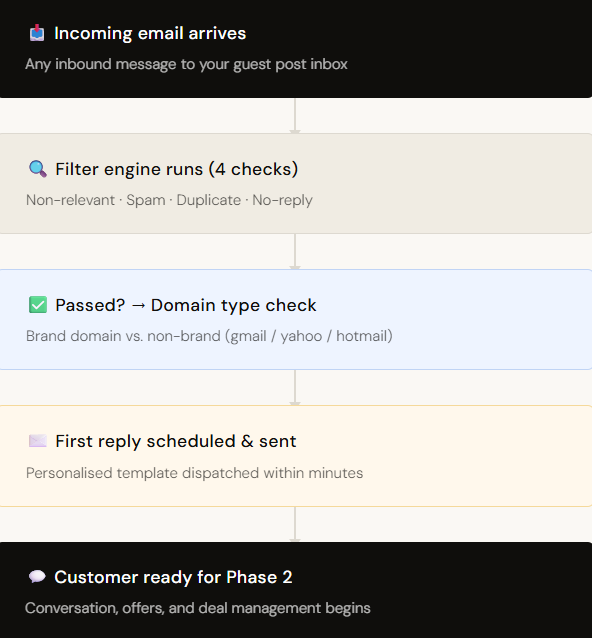
End-to-end Phase 1 flow
The four rejection conditions
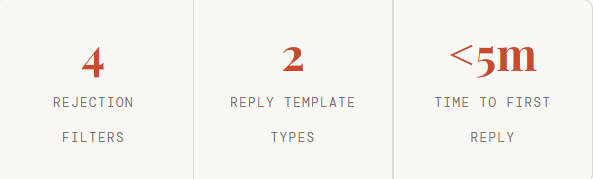
When an email lands, Phase 1 immediately checks it against four disqualification rules. Hit any one of them and the email is silently rejected — no reply is sent, no deal is created.
| Filter 1 | Non-relevant email | Content has no relation to guest posting, link insertion, or content collaboration. Off-topic pitches, HR enquiries, vendor solicitations |
| Filter 2 | Spam email | Unsolicited bulk email, phishing attempts, nor any message identified as junk by content or header signals. |
| Filter 3 | Duplicate email | A message from a sender already in the system, or a thread the CRM has already processed. Prevents double-replies and ghost conversations. |
| Filter 4 | No-reply/alert/notification | Automated system emails – cron alerts, noreply@ addresses, billing notifications, or any message not sent by human waiting for a response. |
Only emails that clear all four filters move forward. This means your pipeline stays clean by default — no manual triage, no inbox archaeology.
Special Filtration- Spam to Inbox:
If Gmail classifies an email as Spam, but it is related to a guest post or link insertion, the GuestPostCRM detects it, unspams the mail, and sends it back to the inbox.
Special Filtration-Restore Rejected Email:
If a guest post or link insertion opportunity has been rejected automatically or manually by mistake, you can restore it with a single click.
Brand vs. non-brand: why it matters
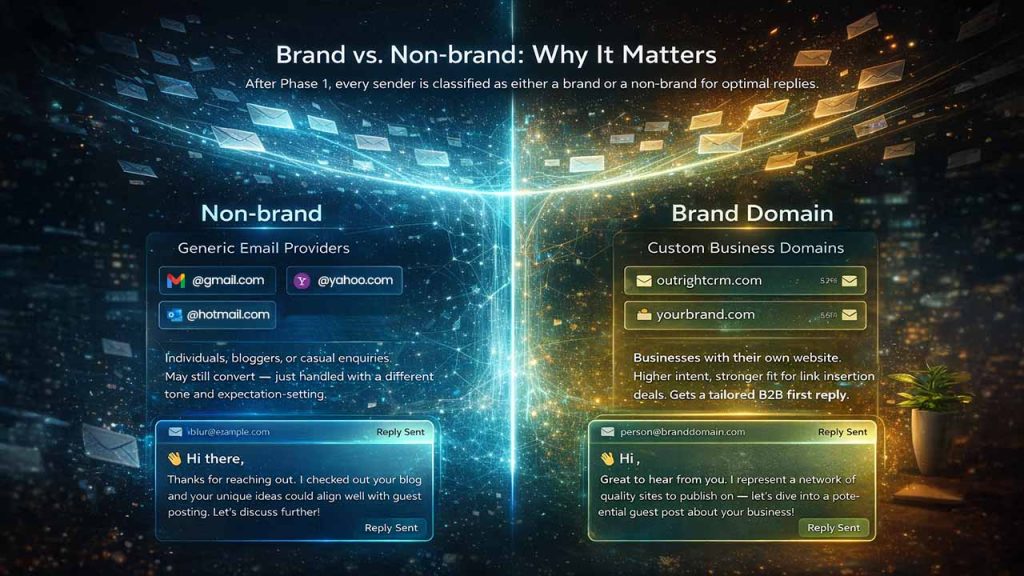
Once an email passes filtration, Phase 1 makes one more determination before firing the reply: what kind of sender is this?
The distinction is simple but powerful. A generic email provider tells you little about who's on the other end. A custom domain is a business signal — it implies an established site with a real SEO budget.
| Category | Email Type | Sender Profile | Intent & Value | Example |
| Non-brand | Generic email providers | Individuals, bloggers, or casual enquiries | May still convert but typically lower intent | @gmail.com @yahoo.com @hotmail.com |
| Brand | Custom business domains | Businesses with their own website | Higher intent, stronger fit for link insertion deals | @outrightcrm.com @yourbrand.com |
What happens, step by step
Email arrives
Phase 1 begins processing immediately. No human intervention at this stage.
4-filter check runs
Non-relevant, spam, duplicate, and no-reply conditions are evaluated. Failing anyone = silent rejection.
Domain classification
Passed emails are classified as brand or non-brand based on the sender's email domain.
First reply scheduled
The appropriate template is selected, and a reply is queued for dispatch within minutes.
Customer enters Phase 2
With the first reply sent, the lead is now a live conversation — ready for offers, deals, and order management.
A clean pipeline starts before you even open Gmail
Phase 1 is what separates reactive inbox management from a scalable guest posting operation. By the time you look at your CRM, the noise is already gone — and every lead in the queue has already received a timely, personalised first touch.
Phase 2 picks up from here: handling the actual conversation, generating offers, managing deals, and processing orders. But none of that works without a clean top-of-funnel — and that's exactly what Phase 1 delivers.
| Rejection Types | Descriptions |
| Non-relevant emails | Not related to business purpose |
| Spam emails | Unwanted or malicious content |
| Duplicate emails | Repeated submissions |
| No-reply/ alerts | System-generated emails |
Conclusion
Your guest posting workflow should not start with conversations. It should begin with how you control your inbox. Phase 1 makes sure that each incoming email is classified, filtered, and correctly routed before you involve any human effort.
By deciding automatically who gets a reply and recognizing whether the sender is a non-brand or brand, GuestPostCRM filters removes guesswork at the start of the funnel itself. What you get as a result is a structured or clean pipeline where only relevant opportunities go forward.
Phase 2 builds on this foundation, managing all six stages: new, offer, deal, order, payment, and reminder on this foundation. However, without having an effective filtration layer, even the most effective outreach process can break down. Phase 1 will make sure that this never happens.


.png)
.png)