.png)
.png)
Projects rarely fail because teams lack talent. They fail because of missed deadlines, poor planning, and scattered workflow. Recently, PMI's Pulse of the Profession report revealed that organizations waste an average of $97 million for every $1 billion spent due to bad project performance. Their projects lack a proper structure.
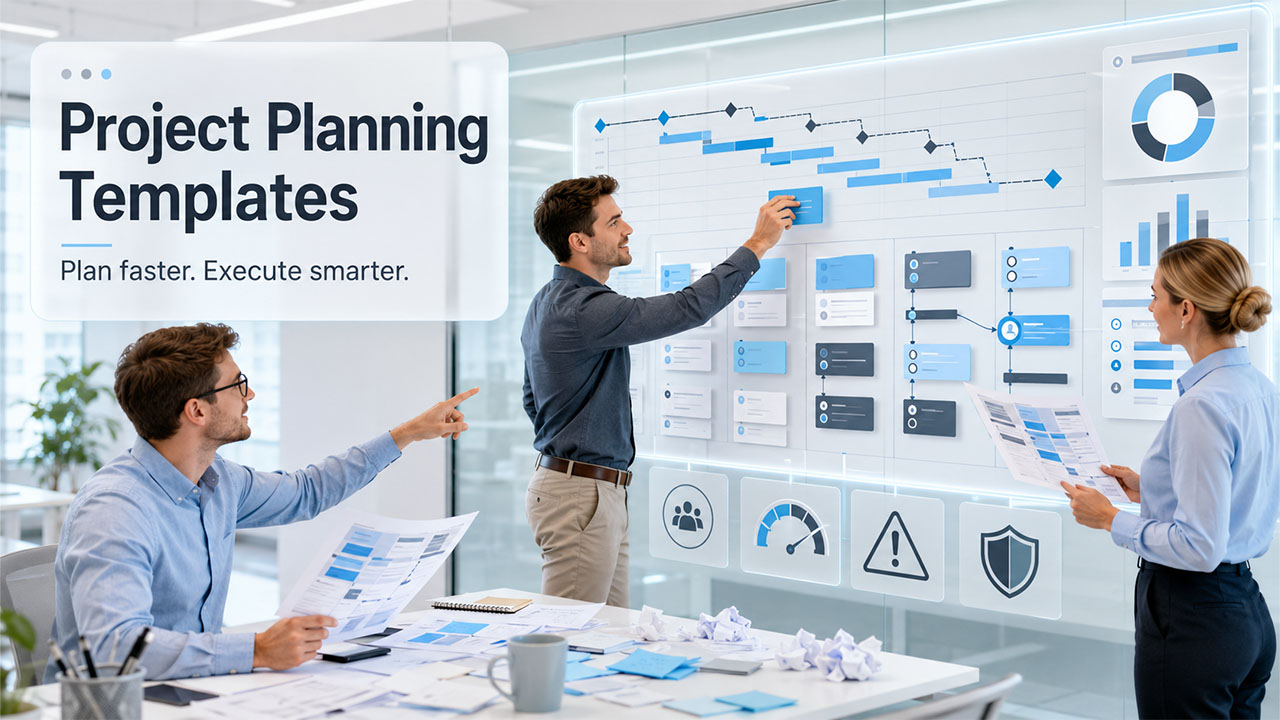
This is where the templates for project planning come into play. These templates provide a ready-made framework to follow, so every team member knows what needs to happen, who handles it, and when it's pending. It basically gives direction to your project. Let us try to find out everything you must know about the project planning templates.
What Are Project Planning Templates?
The project planning template is a ready-made framework that can be immediately put into use in planning your entire project process right from the start.
You can consider it a blueprint. Instead of building the structure from scratch every time, you fill in the relevant details and start moving. It covers goals, tasks, timelines, roles, budgets, and risks, all in one organized place. Many businesses also combine these templates with workflow management software to streamline collaboration, automate repetitive tasks, and keep projects on track. Having this software in place means you already know how you have to proceed to accomplish your project.
It's also worth knowing the difference between a few related terms. For instance, a project plan covers the full scope of work. A project roadmap gives a high-level view of goals and phases. A project charter defines scope and gets stakeholder buy-in. Finally, a project timeline zooms in on milestones and due dates. Each serves solely a unique purpose, but there is a solid template behind all of them, working together.
Why Teams Rely on Structured Planning
Better Coordination and Faster Setup
When everyone works from the same framework, they have clarity on where and how they need to proceed. Alongside, communication gaps shrink fast. Tasks get assigned to targeted team members, progress is visible to the whole team, and there's far less back-and-forth about who's doing what.
That means teams that start structured planning early by adopting such project planning templates are likely to avoid the mid-project chaos that derails timelines and disappoint stakeholders.
Starting a new project without a template also means a higher possibility of repeating the same setup work every time. Templates are planned with advanced features, keeping previous project execution experience in mind. These cuts time significantly and help spot potential blockers before the project even kicks off.
In addition, a good template makes major problems visible before they are too difficult to deal with. These problems include scope creep, resource conflicts, and unclear ownership- these problems don't disappear on their own.
Core Elements Worth Including

Since every project holds specific requirements, every template cannot look the same, but the best ones share a few key components. An effective project plan will normally include a clear goal, task breakdown, allocation of tasks among team members, time frame for tasks, and budget tracking.
Adding a risk section and a communication plan will make it even better in case of larger and more expensive projects. The elements included in effective project planning templates are.
Project goals and objectives
- Task breakdown structure (WBS)
- Team roles and responsibilities
- Timeline and key milestones
- Budget tracking and risk log
- Communication plan and status tracking
Types of Project Planning Templates
Project Charter Template
Most projects generally begin with a project charter. It explains the scope, goals, key stakeholders, and desired outcomes before starting any task. Adding a RACI matrix inside the charter is very useful for the team. It’s a simple grid that helps figure out who is responsible, accountable, consulted, and informed for each major decision. It eventually prevents confusion later.
Gantt Chart Template
Gantt charts are used to outline tasks within a schedule. The main benefit of a Gantt chart is being able to understand the overlapping tasks, dependencies, and how everything works together. There are tools, like Smartsheet and Wrike, providing dynamic Gantt chart templates that are automatically updated as the schedule changes, reducing repetitive tasks.
Work Breakdown Structure (WBS) Template
A Work Breakdown Structure helps in dividing big projects into smaller sub-projects. A well-structured WBS uses a numbered format such as 1.0, 1.1, and 1.1.1, which helps show the connection between sub-tasks and parent tasks. It becomes easier to better estimate the timeline of tasks while still knowing what individual members of the group are contributing.
Agile Sprint Planning Template
An agile sprint planning template works during short cycles called sprints that last one or two weeks. It helps Scrum teams organize their tasks in the backlog, outline what will be done within each sprint, and evaluate results at the end of the cycle before moving to another sprint. The elements like story points, sprint velocity, and acceptance criteria should be placed in the properly organized sprint template. Keeping them in different documents can lead to missed details and confusion later.
Kanban Board Template
A Kanban board monitors progress by listing the tasks from "To Do" to "Done." The marketing team, support team, and even the product team can adopt a Kanban board to track ongoing work without a defined project structure. Having a work-in-progress (WIP) limit for each column allows keeping track of work without overloading columns.
Risk Management Template
Every project comes with certain risks. The use of risk management templates enables teams to evaluate possible risks that they may face in the future and assign scores depending on the probability and severity of those risks. Risk management templates usually assign scores ranging from 1 to 5 for both types of risks.
Resource and Budget Management Templates
Resource management templates assist in distributing workload among team members without overburdening any member of the team. Budget management templates act as an addition to resource management templates since they deal with the issue of cost estimates and forecasts. According to PMI research, only 57% of all projects finish within budget.
Choosing the Right Template for Your Team
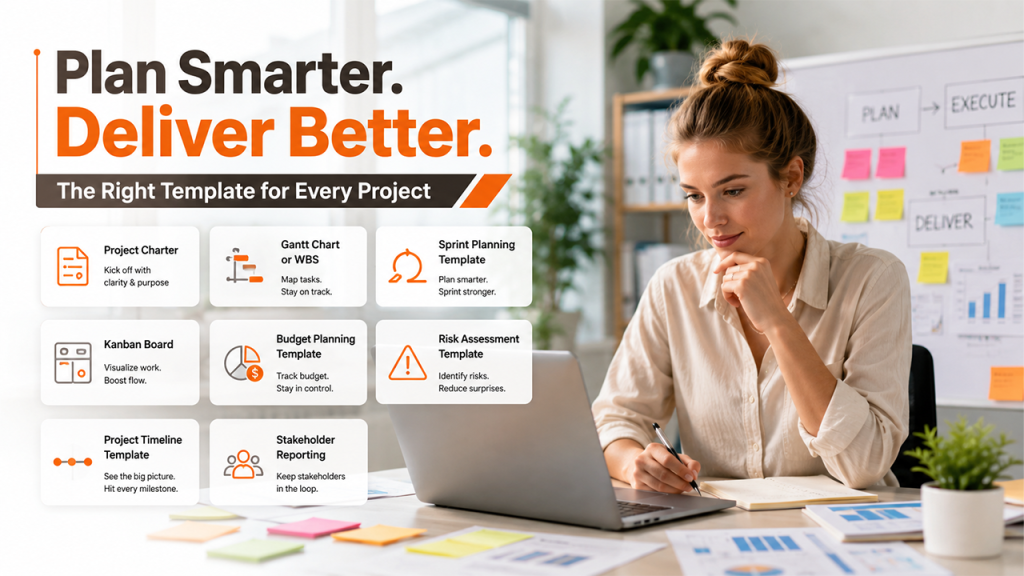
The right template depends on your project size, your goals, team structure, and how your team works. Here's a simple breakdown:
| Project Type | Recommended Template |
| New project kickoff | Project Charter |
| Multi-phase project | Gantt Chart or WBS |
| Agile or Scrum team | Sprint Planning Template |
| Ongoing workflow | Kanban Board |
| Budget-heavy project | Budget Planning Template |
| High-risk project | Risk Assessment Template |
| Stakeholder reporting | Project Timeline Template |
For smaller companies, simpler templates such as a simple checklist or single-page project plan will do fine. However, for larger companies, they will require more complex templates that interlink with various departments of their companies. Agile teams need flexible formats, waterfall teams need structured ones, and hybrid teams usually need a mix of both.
Common Mistakes When Using Project Planning Templates
Even the best project planning templates can fail if they are used incorrectly. Many teams adopt a template but never update it once the project starts, making it outdated within weeks.
Some of the most common mistakes include:
- Choosing overly complex templates for simple projects
- Failing to update timelines and milestones regularly
- Ignoring risk assessments until problems arise
- Assigning unclear ownership of tasks
- Using different planning documents across departments
The goal of a template is to create clarity, not additional administration. Teams should review and refine their project plans regularly to keep them aligned with changing priorities. A well-structured workflow helps improve collaboration, productivity, and project outcomes.
Real-World Use Cases
Software development teams employ templates for sprint planning and work breakdown structures for project releases. Marketing departments depend on templates for campaign planning in terms of integrating content and advertising, and the launch dates for the products.
On the other hand, construction companies require templates for handling resources and budgets in order to manage a large team and the cost of materials involved in the projects.
Agencies need templates for project charters and communication plans to set up proper expectations with the clients.
This is where the importance of templates lies.
How AI Is Reshaping Project Planning
AI has significantly improved modern project planning by helping teams work more efficiently. It can recommend task timelines based on previous projects, predict potential roadblocks, and automate the generation of progress reports.
Systems like ClickUp and Monday.com have launched planning features powered by AI that work seamlessly with their template galleries. This doesn't replace good template habits; it builds on them.
Best Tools for Managing Project Planning Templates
While templates can be created in spreadsheets and documents, dedicated project management platforms make them easier to maintain and share.
Popular tools include:
- Asana for task management and team collaboration
- ClickUp for customizable project templates and AI-powered planning
- Monday.com for workflow automation and reporting
- Wrike for enterprise project management
- Smartsheet for spreadsheet-style project tracking
- Trello for simple Kanban-based planning
Many organizations also connect project management platforms with communication and marketing tools. For example, teams managing product launches often integrate email platforms such as Flodesk to coordinate customer communications alongside internal project workflows. This helps keep marketing activities aligned with project milestones and launch schedules.
Final Thoughts: Start Planning Smarter Today
A good project planning template does more than simply streamline your process. It provides your team with direction, less uncertainty, and a realistic chance of meeting their deadlines.
If you are leading product development, building something new, or planning a sprint, there is a template for each task. Choose one that suits your team and adapt it to meet your unique needs.



.png)
.png)