




.png)
.png)
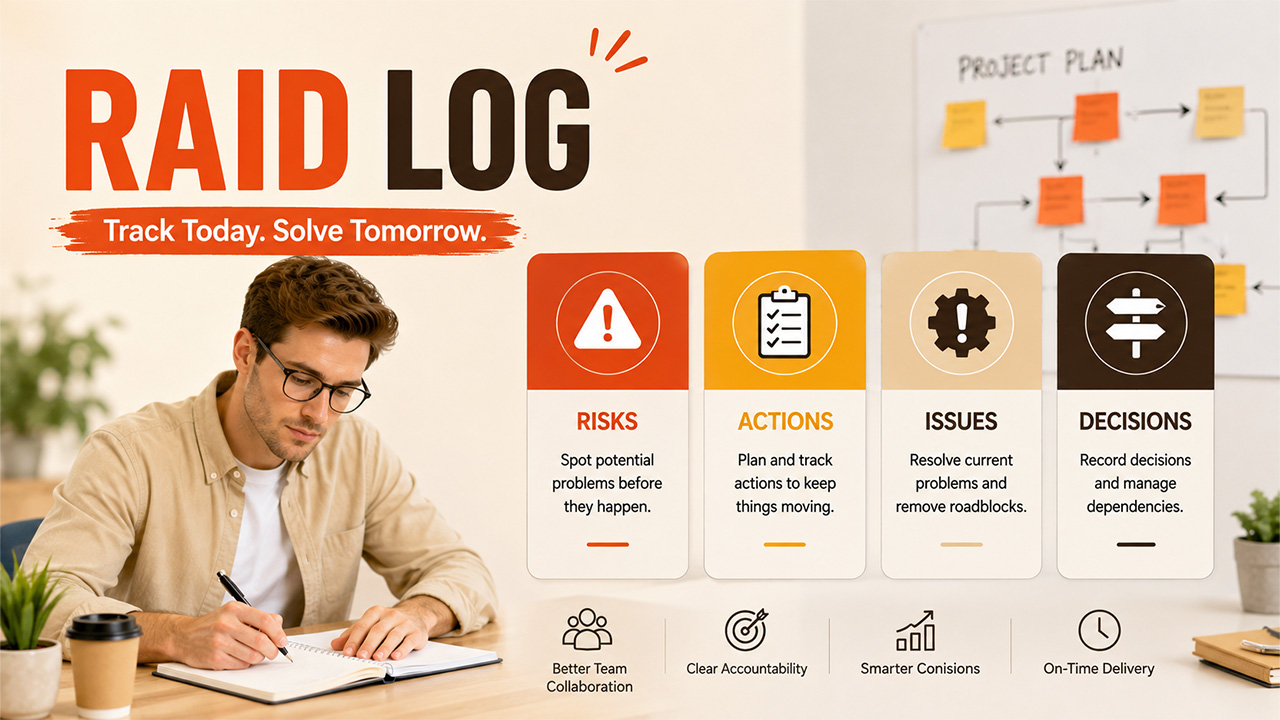
Every project, no matter how well planned, runs into surprises along the way. A RAID log exists specifically to catch those surprises before they turn into real problems, giving teams one place to track everything that could throw a project off course.
The document itself is not complex at all but performs an important function. It brings all the potential risks, decisions, and open issues out of the numerous emails, meeting minutes, and people’s memory and places them together in one place available to everyone.
In this blog, we’ll break down exactly what a RAID log is, what the acronym actually stands for, why teams rely on it, and how to build one yourself, along with a practical example to work from.
What Is a RAID log?
A RAID log is a project management document that helps an organisation keep track of the risks, actions, issues, and decisions related to a project. The document is not just a one-time checklist; it is a continuously updated document reflecting the processes occurring during project management.
RAID log is an important tool that allows keeping track of any possible influence on a particular project. Instead of just talking about some risk at a meeting and forgetting about it later or discussing some decision without recording it, everything goes into the same document.
RAID log is not only used by project managers but also by many other teams working on different projects, including sales, marketing, and operations teams.
What Does RAID Stand For?
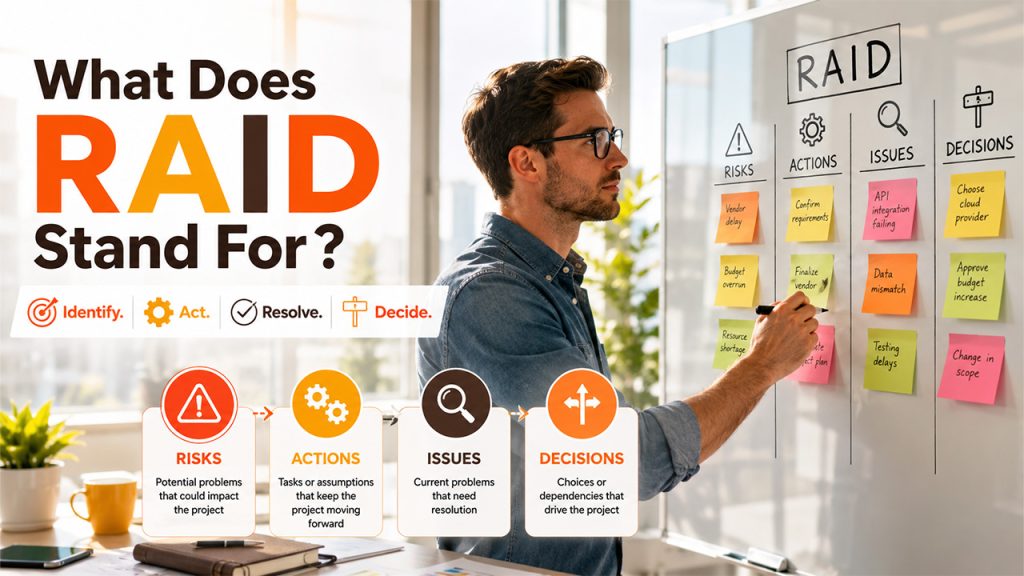
The acronym itself is really the whole framework: four categories that cover most of what can go wrong or need deciding during a project:
Risks: Potential problems that have not occurred yet, but which could cause harm to the project should they occur, such as delays in vendor deliveries or technical tools failure.
Actions (or Assumptions): Actions that must take place to continue with the project, or assumptions about something which is assumed to be true without complete certainty.
Issues: Current problems that require resolution, unlike risks which have not actually occurred yet.
Decisions (or Dependencies): Decisions which are made along the way, or actions which are made along the way, or actions which depend on the completion of another action.
Some teams swap “Actions” for “Assumptions” or “Decisions” for “Dependencies” depending on the nature of the project. Complex, longer-term projects tend to lean more on assumptions and dependencies, since there’s more uncertainty and more moving parts relying on each other.
Why RAID Logs Matter for Project Teams
A RAID log earns its place in a project for a few concrete reasons, not just as an extra document to fill out:
Clear visibility into project status: Anyone can glance at the log and immediately understand where things stand, without needing a separate status meeting to explain it.
Proactive risk management: Logging risks early means teams can address them before they escalate into actual issues, instead of scrambling after the fact.
Stronger accountability: Every item has an owner attached, so it’s always clear who’s responsible for resolving what.
Single source of information: No need to search for decisions and updates in different email threads or chats since all of them are stored in one place.
Easy reporting to stakeholders: The use of a log helps to provide the updates and changes to the client or project leader without the need to find everything first.
For teams juggling guest posting or link-building operations specifically, this kind of tracking overlaps naturally with a broader scope of marketing work, where risks, deadlines, and dependencies pile up fast across multiple campaigns running at once.
RAID Log Template and Example
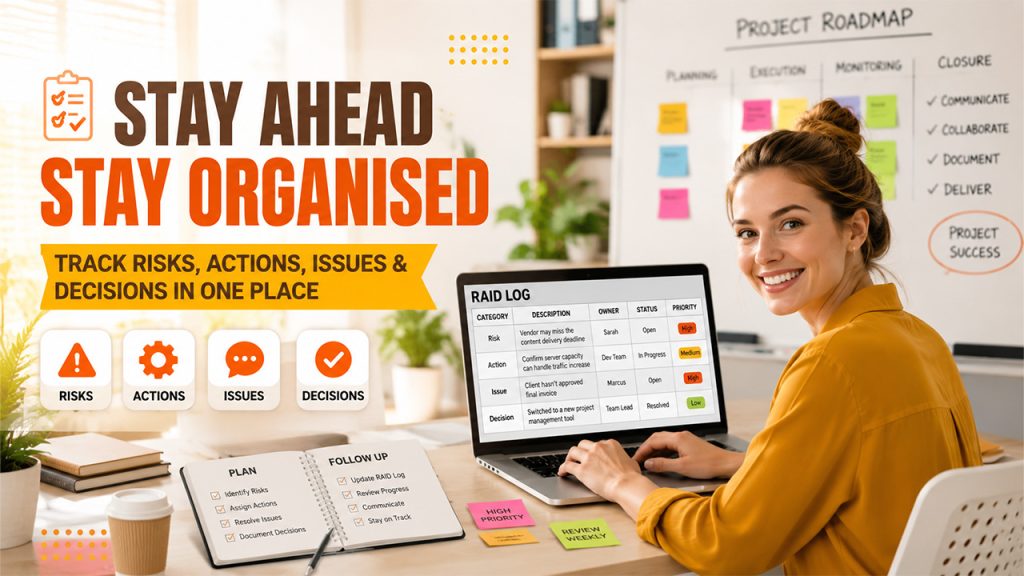
A basic RAID log template doesn’t need to be complicated; most teams get by with a simple table covering a handful of columns:
Category: Risk, Action, Issue, or Decision
Description: A clear explanation of what’s going on
Status: Open, in progress, or resolved
Date raised: When the item was first logged
Priority or severity: Low, medium, or high, to help teams focus on what matters most
Here’s a quick RAID log example to show how that looks in practice:
| Category | Description | Owner | Status | Priority |
| Risk | Vendor may miss the content delivery deadline | Sarah | Open | High |
| Action | Confirm server capacity can handle traffic increase | Dev Team | In Progress | Medium |
| Issue | Client hasn't approved final invoice | Marcus | Open | High |
| Decision | Switched to a new project management tool | Team Lead | Resolved | Low |
Whether you build this in a spreadsheet or a dedicated tool, the format stays consistent. What matters more is updating it regularly; a RAID log that’s filled out once and forgotten doesn’t do much good. Pairing it with broader project planning templates can also help keep the RAID log connected to the rest of a project’s documentation instead of existing in isolation.
How to Create a RAID Log (Step-by-Step)
Building a working RAID log project management system doesn’t take long once you know the steps:
Step 1: Define the format: A simple spreadsheet is suitable for smaller teams, whereas project management software is better suited for bigger, long-term projects.
Step 2: Create categories: Create sections or columns for Risks, Actions, Issues, and Decisions; use the names Assumptions or Dependencies if necessary.
Step 3: Include all necessary information: Include Description, owner, status, and priority fields, among others, so that every entry can be considered actionable.
Step 4: Assign an owner to each entry: All entries should have a concrete owner, not just the name of a team.
Step 5: Regularly review and update the log: Schedule regular reviews; either once a week or once every two weeks is sufficient to ensure the accuracy of the log.
Step 6: Link the log to other workflows: If the project involves sales or client-facing work, connecting the RAID log to relevant deals helps the team see how risks might affect revenue, similar to how tracking works across a sales funnel.
Teams managing high-volume operations, like backlink or guest posting work, often benefit from pairing this with a dedicated guest post management software platform, since it keeps risk tracking and day-to-day order management in the same ecosystem instead of juggling separate tools.
Conclusion
At the end of the day, a Raid log is a small habit that prevents big problems. Instead of risks and decisions living in scattered notes or someone’s memory, everything lives in one place the whole team can trust and reference.
There is no need for it to be complex for it to work. All it takes is a little bit of time each week to update a simple table that makes more of an impact than the most complex project plan ever made, just because no one uses it again once they get past day one.
Regardless of whether you have one project or multiple projects ongoing, doing this will save time, effort, and headaches all around.



.png)
.png)